How to Find and Download Minecraft GIFs?

Minecraft has remained one of the most popular sandbox games in the world since its release. With its distinctive blocky graphics, endless creativity, and vibrant player community, Minecraft has inspired countless memes, animations, and short visual clips. Among these, Minecraft GIFs are especially popular because they capture funny gameplay moments, impressive builds, character reactions, and memorable in-game scenes in a quick, shareable format. Fans often use Minecraft GIFs to express emotions in chats, create social media content, or enhance gaming-related blogs and presentations.
However, many users struggle to locate high-quality Minecraft GIFs or download them correctly without losing quality. In this guide, we will walk you through how to find Minecraft GIFs online and explain several reliable ways to download them.
1. How to Find Minecraft GIFs?
Finding Minecraft GIFs is relatively easy thanks to the vast number of online platforms that host animated content. Below are some of the best places to search for high-quality Minecraft GIFs.
1.1 GIF Sharing Websites
Dedicated GIF platforms are among the best sources for Minecraft animations. Popular websites include:
- GIPHY – One of the largest GIF libraries available online. You can search for terms such as “Minecraft,” “Minecraft building,” or “Minecraft funny moments” to discover thousands of animated clips.
- Tenor – Frequently used in messaging apps and social media platforms. Tenor provides trending and categorized Minecraft GIFs that are easy to browse.
- Imgur – Although known as an image-sharing site, Imgur also hosts numerous GIFs and short looping animations related to Minecraft gameplay and memes.
These websites usually allow users to preview GIFs before downloading, helping you find the perfect animation.
1.2 Social Media Platforms
Social media is another excellent source for Minecraft GIFs. Many creators share gameplay highlights and funny animations across multiple platforms.
- Pinterest – Pinterest is particularly useful for discovering curated boards filled with Minecraft animations, memes, and gaming reactions. Searching keywords like “Minecraft GIF ideas” or “Minecraft animation GIF” can lead you to high-quality collections.
- Reddit – Subreddits such as r/Minecraft and r/MinecraftMemes often feature unique GIF content posted by community members.
- Twitter/X and Tumblr – Many Minecraft fans and content creators share short animations and reaction GIFs on these platforms.
1.3 Minecraft Community Forums and Fan Sites
Several fan-driven websites and forums focus exclusively on Minecraft content. These platforms often host original animations, creative builds, and gameplay highlights converted into GIF format. Some animation creators also share downloadable content directly on their personal websites or portfolios.
2. How to Download Minecraft GIFs?
Once you find the Minecraft GIFs you like, the next step is downloading them. Below are several methods you can use depending on your needs.
2.1 Right-Click and Save a Minecraft GIF
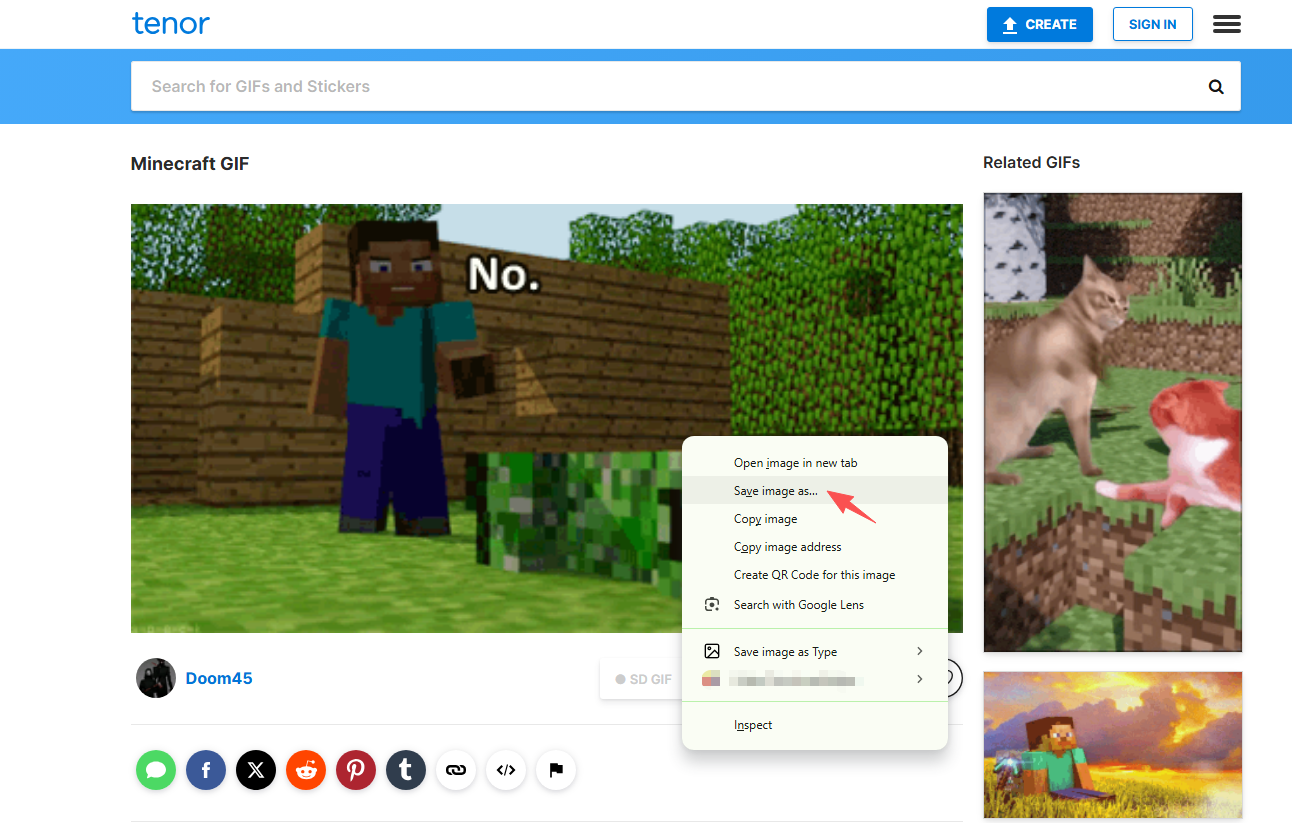
The simplest way to download a Minecraft GIF is by using your browser’s built-in save feature.
Steps:
Open the webpage containing the Minecraft GIF > Right-click on the GIF image > Select “Save Image As” > Choose a folder on your device and save the GIF.
Pros:
- Quick and easy
- No additional software required
Cons:
- May not work on websites that embed GIFs differently
- Not suitable for bulk downloading
2.2 Download Minecraft GIFs Using Online GIF Downloaders
Online downloaders are helpful if a website restricts direct downloading or if the GIF is embedded within a viewer.
Steps:
Copy the URL of the webpage or GIF > Visit an online GIF downloader website like Image Extractor aste the URL into the downloader tool > Click the download button and save the Minecraft GIF. 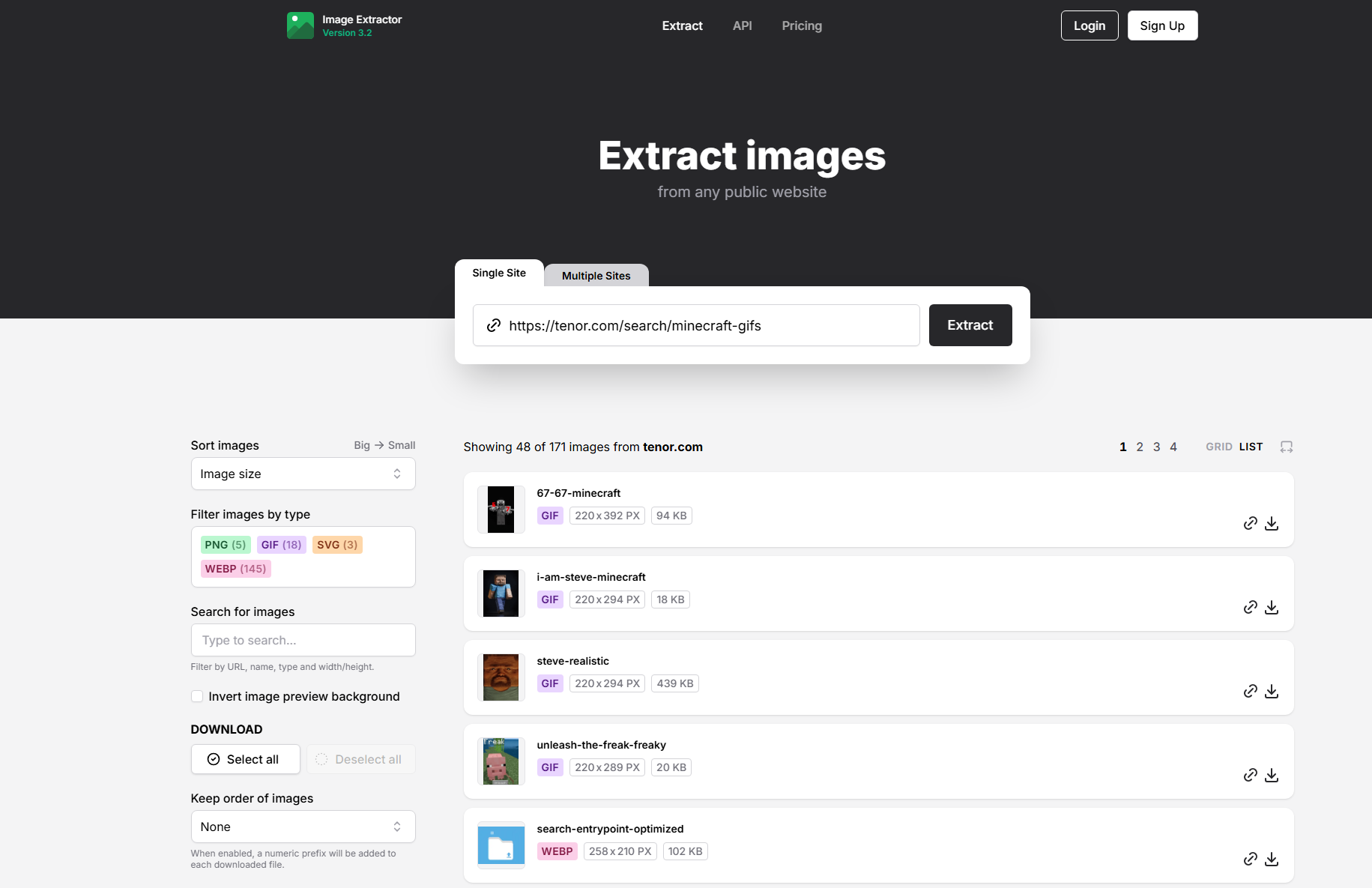
Pros:
- Works with many websites
- Easy to use without installation
Cons:
- May include ads or download limitations
- Typically supports only single downloads
2.3 Download Minecraft GIFs Using Browser Extensions
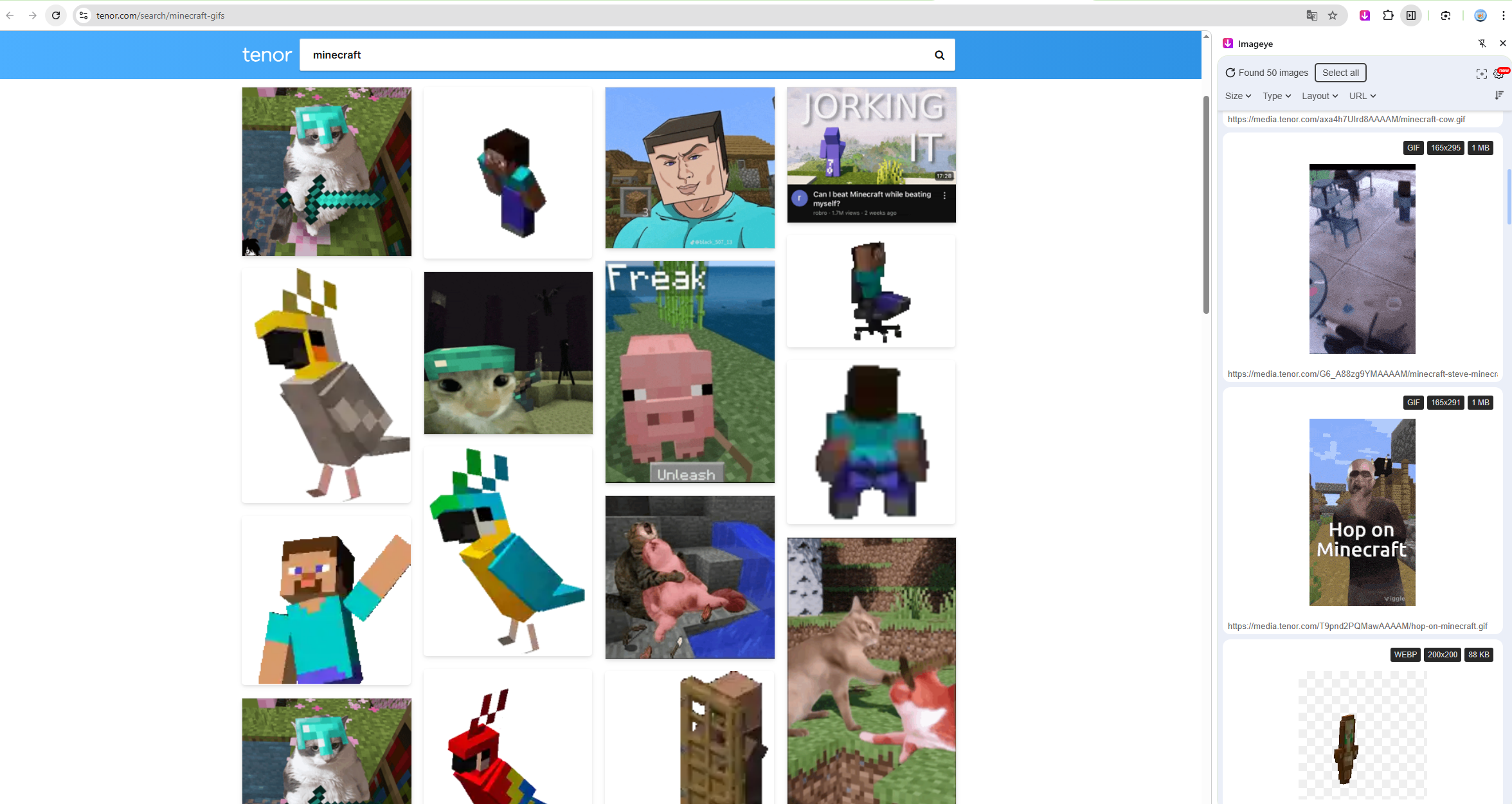
Browser extensions designed for image and GIF downloading can simplify the process and help detect hidden animations on a webpage.
Steps:
Install an image or GIF downloader extension in your browser > Visit the webpage containing Minecraft GIFs > Use the extension to scan the page > Select the GIFs you want and download them.
Pros:
- Faster than manual downloading
- Can detect multiple images on one page
Cons:
- Performance depends on the extension quality
- Some extensions have limited features
3. Advanced Bulk Download Minecraft GIFs with Imaget
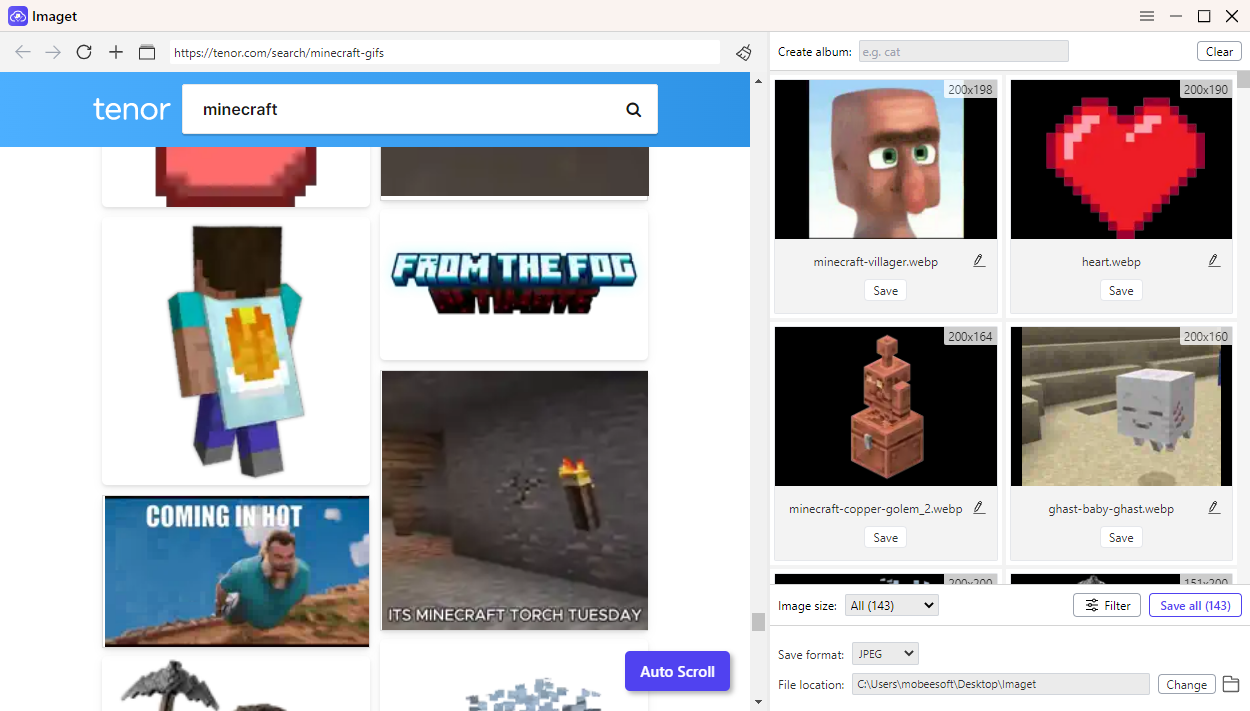
If you frequently download Minecraft GIFs or need to collect large animation libraries, using a professional bulk image downloader like Imaget is the most efficient solution.
Imaget is designed to help users download images and GIFs from multiple websites quickly and in high quality. It is especially useful for gamers, content creators, and social media managers who need large collections of visual content.
Key Features of Imaget:
- Bulk download multiple GIFs nd images simultaneously
- Support downloading from all image hosting platforms and websites
- Preserves original image and GIF quality
- Smart detection of images and animations on webpages
- Simple and user-friendly interface
Steps to Download Minecraft GIFs with Imaget:
- Download and install Imaget on your computer.
- Launch the software and copy the webpage URL containing Minecraft GIFs.
- Paste the URL into Imaget’s downloader and let the software to scan and detect available GIFs.
- Select the Minecraft GIFs you want to download and click the download button to save all selected files at once.
4. Conclusion
Finding Minecraft GIFs is easy with platforms like GIPHY, Tenor, Pinterest, and Reddit, while downloading them can be done through right-click saving, online tools, or browser extensions. For users who need to download multiple high-quality Minecraft GIFs quickly and efficiently, Imaget is the best solution thanks to its powerful bulk download feature and original quality preservation.