How to Download nHentai Manga?

nHentai is one of the most popular online platforms for browsing and reading doujinshi and manga collections. With its clean interface, tagging system, and vast library, it has become a go-to destination for manga enthusiasts worldwide. However, the platform is primarily designed for online viewing, which isn’t always convenient—especially if you want to read offline, build a personal archive, or organize your favorite collections.
That’s where downloading comes in. By saving manga locally, you gain full control over your reading experience. You can access content without an internet connection, avoid loading delays, and store your favorite works permanently.
In this guide, we’ll explore several effective methods to download nHentai manga, ranging from manual techniques to advanced bulk downloading solutions. Whether you’re a casual reader or a serious collector, you’ll find a method that fits your needs.
1. Download nHentai Manga Manually
The most straightforward way to download manga from nHentai is by manually saving each image. While this method is simple and doesn’t require any additional tools, it can be time-consuming.
Steps to Download eHentai Manga Manually:
- Open the nHentai website and navigate to the gallery you want.
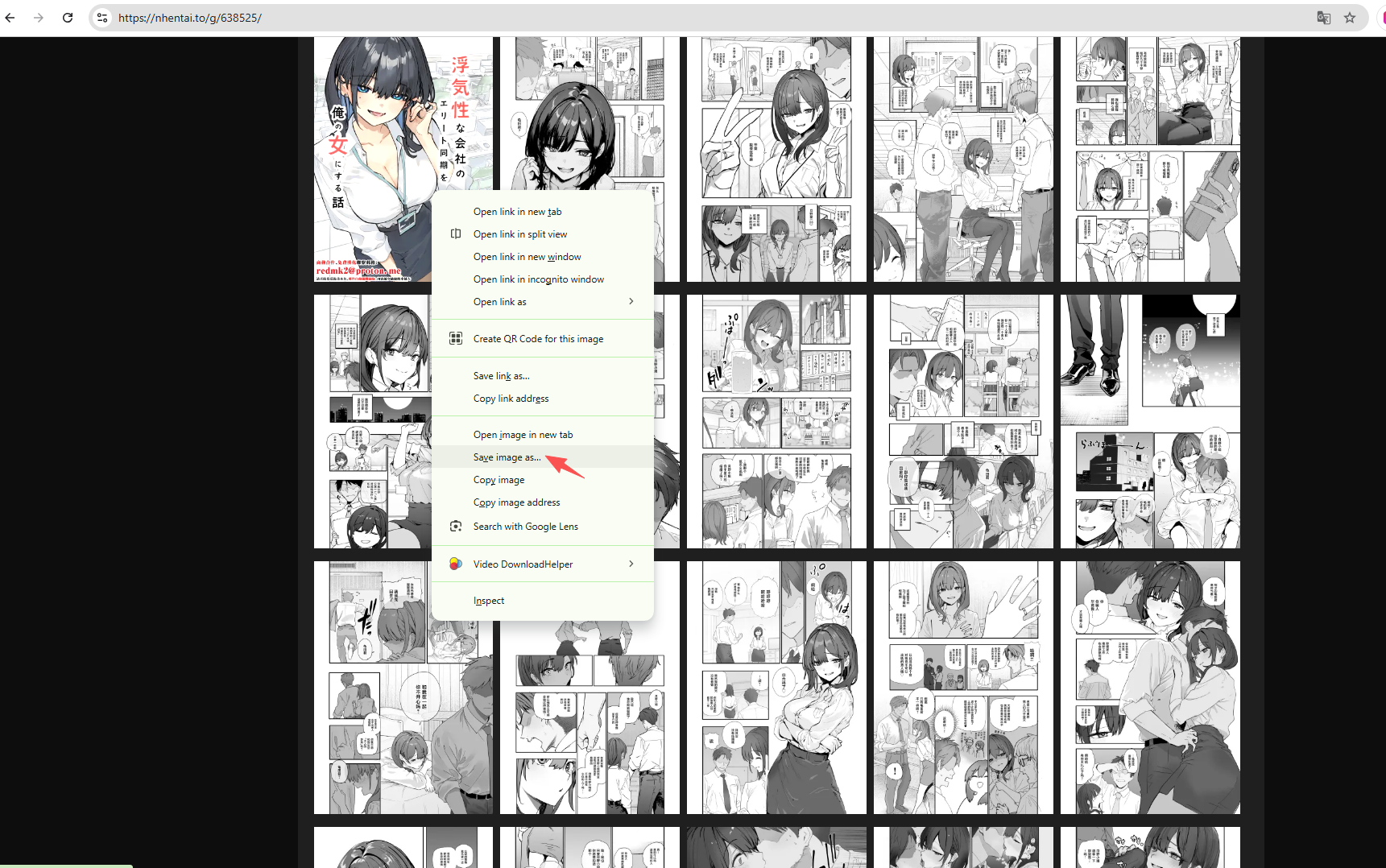
- Click on the first page of the manga, then right-click on the image and select “Save Image As.”
- Choose a folder and save the file; Repeat the process for each page.
Pros:
- No software or tools required
- Full control over which pages you download
- Works on any browser
Cons:
- Extremely slow for large galleries
- Repetitive and tedious
- Easy to miss pages or misorder files
Manual downloading is best suited for small galleries or when you only need a few specific pages. For full manga collections, more efficient methods are recommended.
2. Download eHentai Manga Using Online Downloaders
Online downloaders provide a faster and more convenient way to download entire nHentai galleries. These are web-based tools that require no installation.
How Online Downloaders Work:
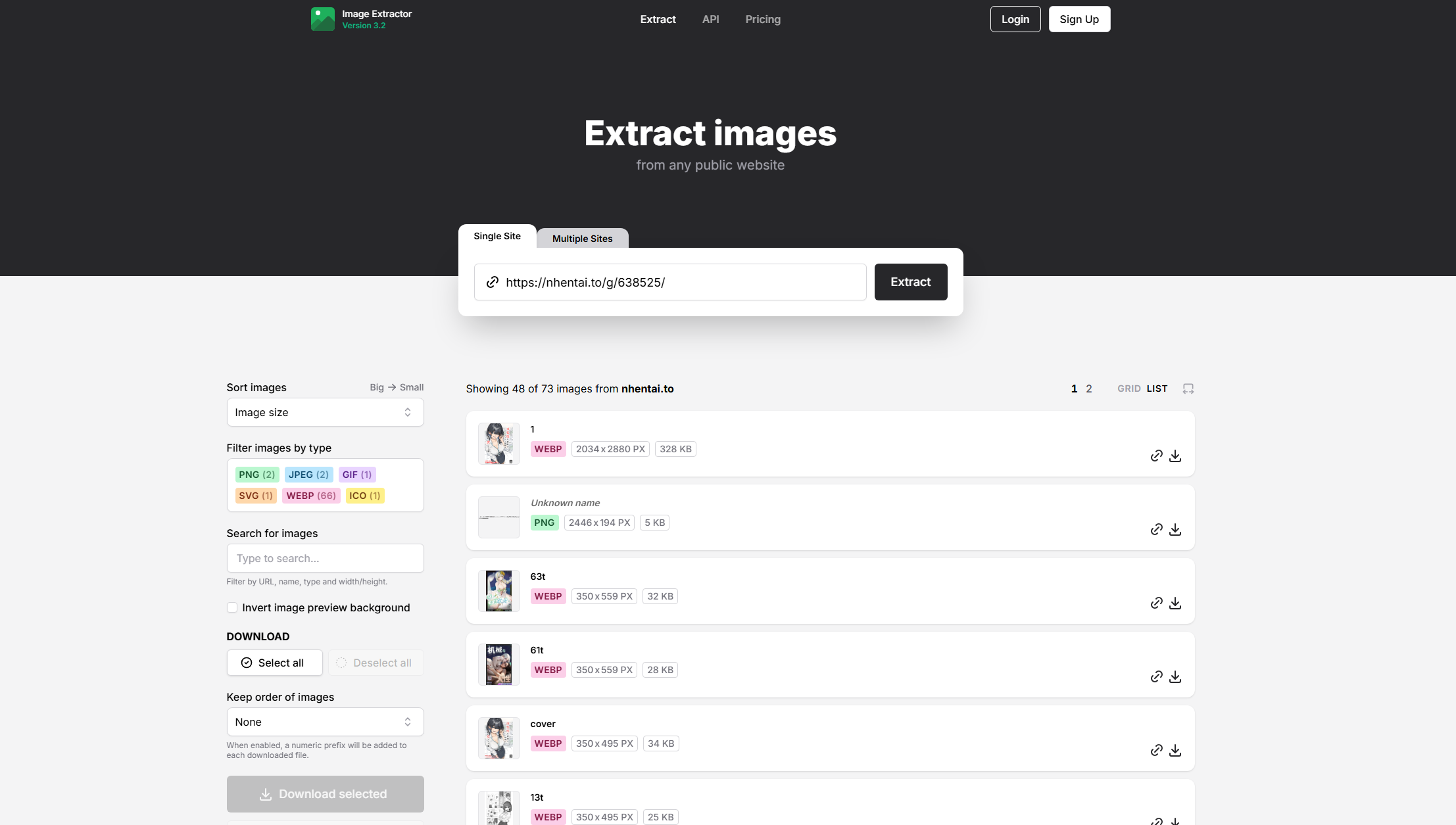
- Visit an online image downloader website like extract.pics.
- Copy the URL of the nHentai gallery and paste the URL into the input field on extract.pics.
- Select your preferred photos, click the download button and wait for processing.
Pros:
- Quick and easy to use
- No installation required
- Supports full gallery downloads
Cons:
- May have file size or speed limitations
- Some tools stop working when site structures change
- Potential security risks with untrusted websites
Online downloaders are a great option for occasional downloads, but they may not be reliable for long-term or large-scale use.
3. Download eHentai Manga Using Image Downloader Extensions
Browser extensions are another efficient way to download nHentai manga. These tools integrate directly into your browser and allow you to grab multiple images at once.
How to Use an Image Downloader Extension:
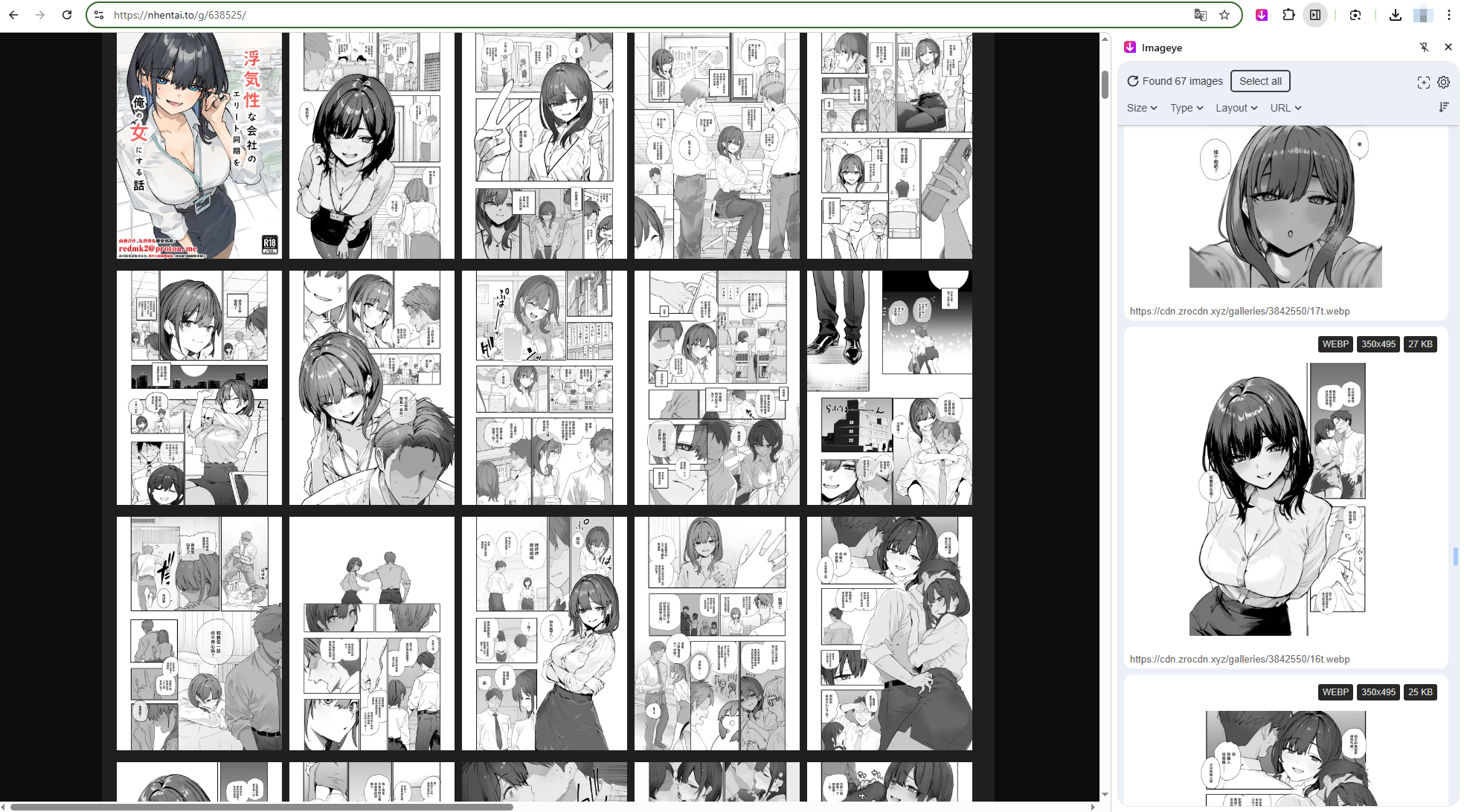
- Install a trusted image downloader extension (Imageye) for Chrome or Firefox.
- Open the desired nHentai gallery page, click the extension from your browser toolbar and let it scan and display all images on the page.
- Select the manga images you want and click Download.
Pros:
- Much faster than manual downloading
- Easy to use after setup
- Works directly within your browser
Cons:
- Requires installation and permissions
- Some extensions may not detect all images correctly
- Can break if nHentai updates its layout
This method strikes a good balance between speed and convenience, especially for users who download manga occasionally but want better efficiency than manual methods.
4. Advanced Bulk Download eHentai Manga with Imaget
For users who want the most powerful and efficient solution, using dedicated bulk downloading software like Imaget is the best option.
Imaget is designed specifically for downloading large volumes of images from websites, making it ideal for nHentai users who want to save entire galleries or even multiple collections at once.
Key Features of Imaget:
- Batch download manga images from multiple galleries simultaneously
- Automatic detection of all images in a gallery
- High-speed downloading with minimal interruptions
- Support for high-resolution images
- Smart file naming and folder organization
- Save chosen images in popular PNG, JPG or original formats.
How to Download nHentai Manga with Imaget:
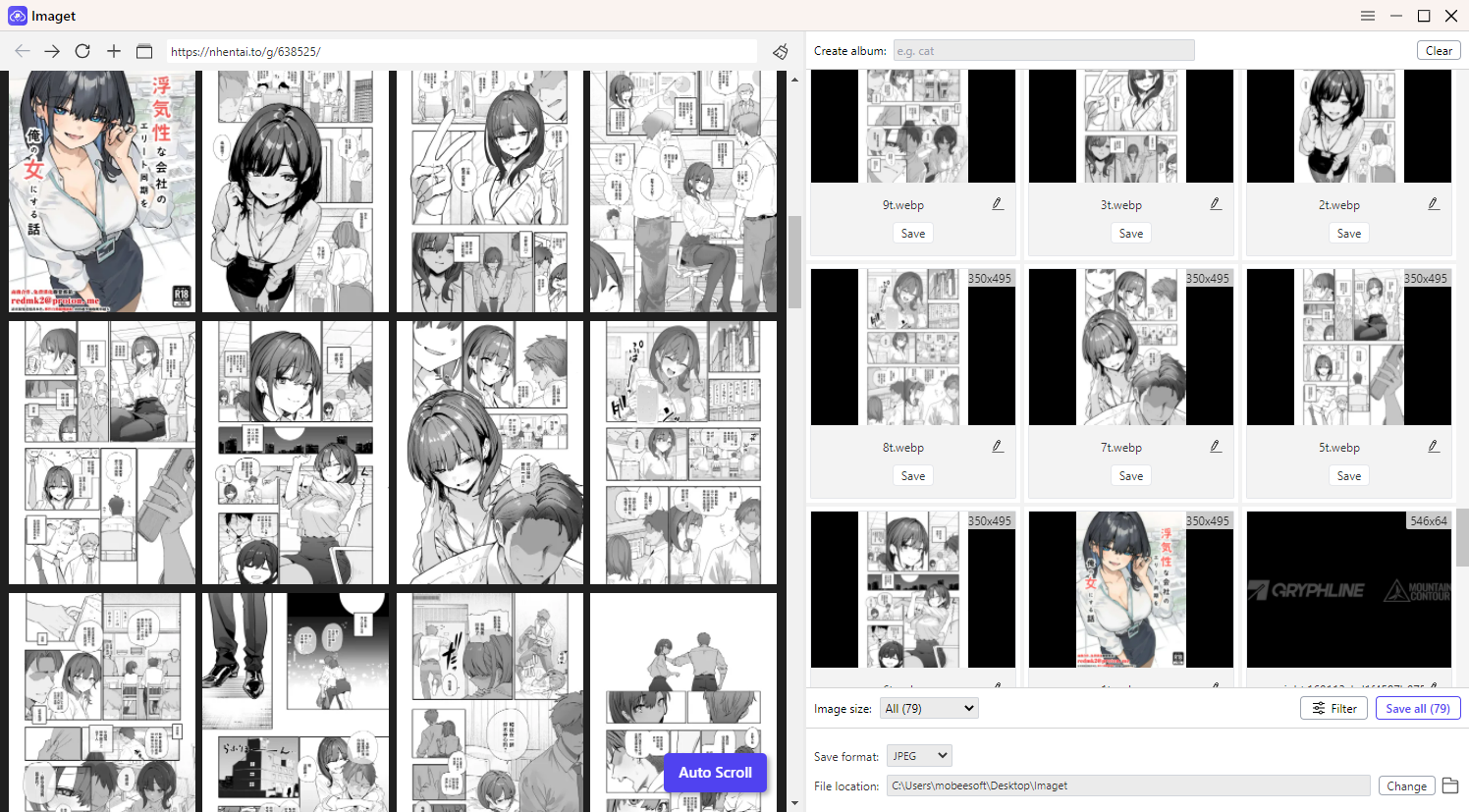
- Install the Imaget Windows or Mac version, and launch it on your computer.
- Open the nHentai gallery (or multiple galleries) inside Imaget, then scroll the page to let the software analyze and detect all images.
- Choose your preferred images based on file types and sizes, set output settings (format, folder, naming) if needed.
- Click Save all to start the process; Click the Open Folder button to locate all the downloaded manga images when finished.
5. Conclusion
Downloading nHentai manga can be done in several ways, each with its own strengths and limitations. Manual downloading is simple but slow, while online downloaders offer quick solutions with minimal setup. Browser extensions improve efficiency by enabling batch downloads directly from your browser.
However, if you’re looking for the best overall experience—especially for downloading multiple galleries or managing a large collection—Imaget is the clear winner. Its automation, speed, and organization features make it the most powerful tool for nHentai manga downloading.
In the end, the right method depends on your needs. But for anyone serious about convenience, efficiency, and building a well-organized manga library, Imaget is highly recommended.