How to Use 4K Stogram to Download Instagram Photos?

Instagram is one of the most popular platforms for sharing photos, but it doesn’t provide a built-in option to download images directly to your device. Whether you want to back up your own posts, save inspiration, or archive content from creators you follow, third-party tools can help. One of the most well-known tools for this purpose is 4K Stogram, a desktop application designed for bulk downloading Instagram media.
In this guide, you’ll learn what 4K Stogram is, how to use it to download Instagram photos step by step, whether it still works today, and introduce a modern alternative for Instagram photo bulk downloads.
1. What is 4K Stogram?
4K Stogram is a desktop-based Instagram downloader available for Windows, macOS, and Linux. It allows users to download photos, videos, Stories, and other content from Instagram accounts, hashtags, and locations.
Unlike manual methods that require copying URLs one by one, 4K Stogram simplifies the process by letting you search directly within the app. You can subscribe to accounts or hashtags and automatically download new content as it’s posted.
Key features of 4K Stogram include:
- Bulk download of Instagram photos and videos
- Download by username, hashtag, or location
- Ability to save content from private accounts (if you follow them)
- Automatic updates for new posts
- Organized folders for each subscription
Because of these features, it has been widely used for creating offline backups or managing large collections of Instagram media.
2. How to Use 4K Stogram to Download Instagram Photos
Using 4K Stogram is relatively straightforward. Below is a step-by-step guide based on the official instructions.
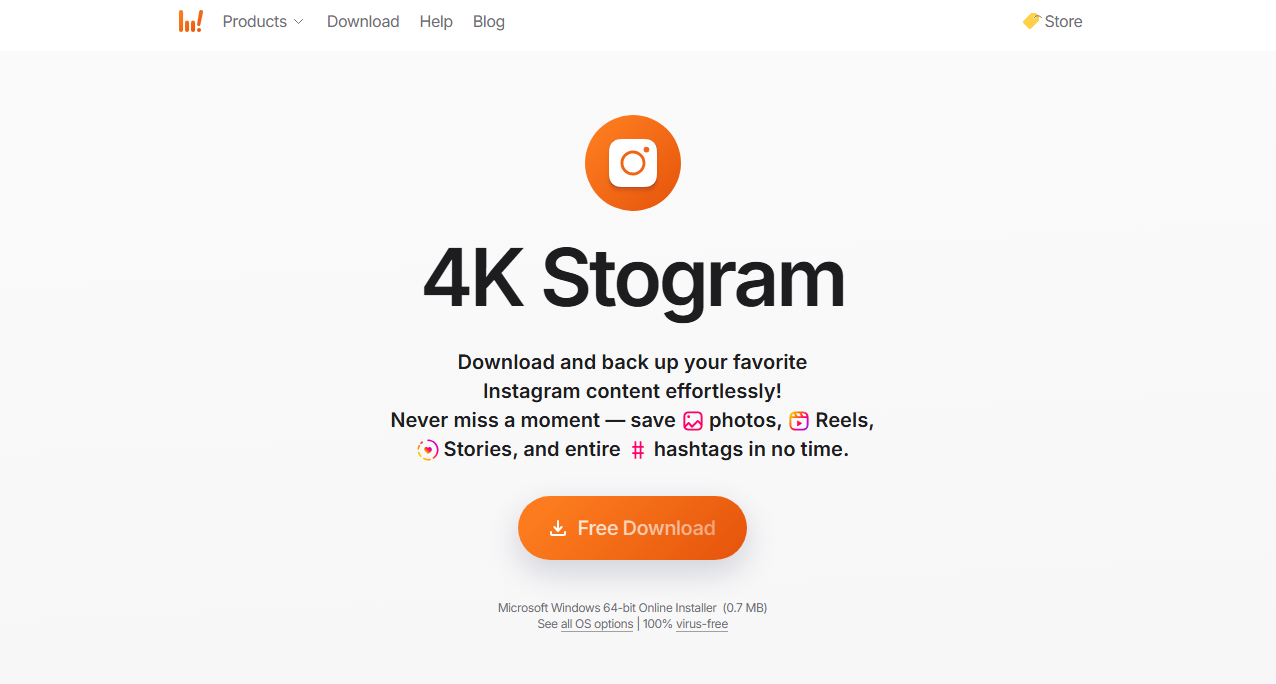
Step 1: Download and install 4K Stogram on your computer, then open the application.
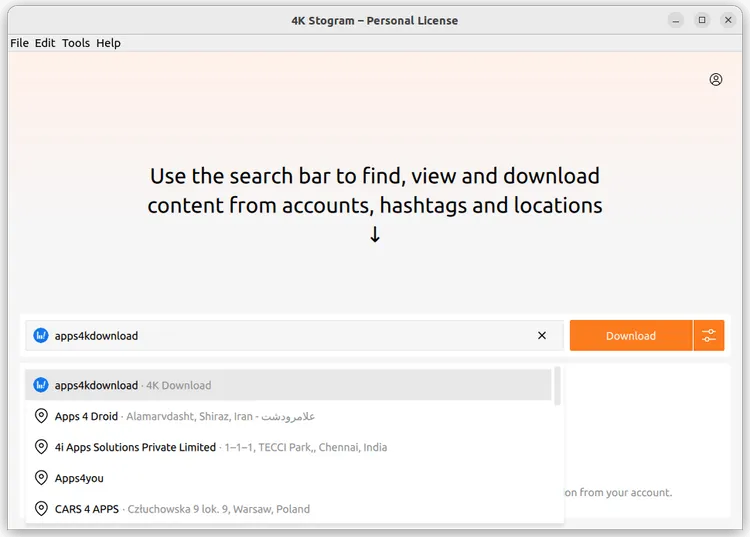
Step 2: Sign in within the app using your Instagram credentials, then enter an Instagram username, hashtag (e.g., #travel), or location into the search bar and select the correct result from the suggestions.
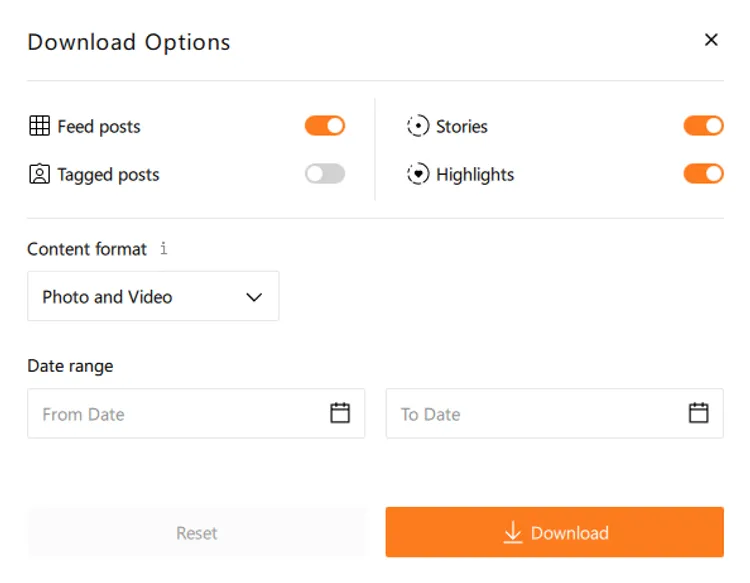
Step 3: Click the settings button next to the download option. Here you can:
- Choose content type (photos only, videos, or both)
- Set a date range to filter posts
- Customize download preferences
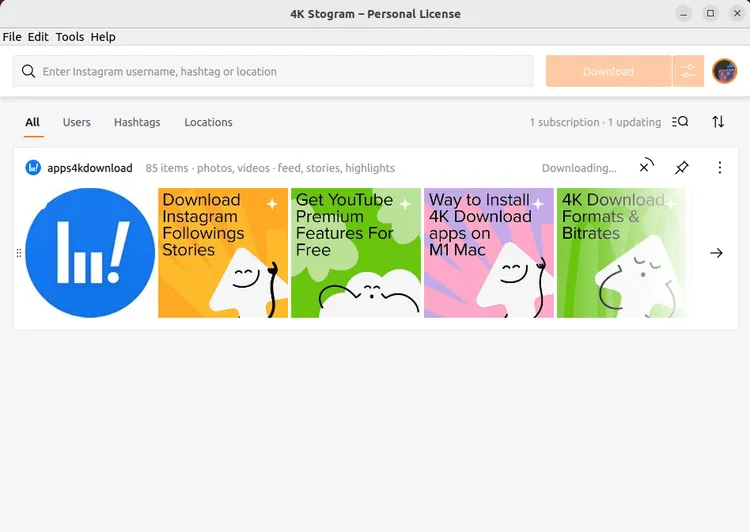
Step 4: To download images specifically, switch the content format to Only Photo. Click the Download button and the app will begin fetching and saving photos automatically. Once completed, the images will be saved locally on your computer in organized folders.
3. Does 4K Stogram Still Work?
This is an important question for users considering the tool today.
According to the official FAQ, 4K Stogram has been discontinued, meaning:
- The app still works in its current form
- Existing features remain usable
- However, there are no updates, bug fixes, or active support
This has several implications:
1) Compatibility Issues
Instagram frequently updates its platform and API. Without updates, 4K Stogram may gradually lose functionality or fail to download certain types of content.
2) Performance Problems
Users have reported issues such as slow downloads, missing content, or incomplete image quality (as seen in community discussions).
3) Security Concerns
Since the app requires login credentials and no longer receives security updates, it may not be the safest long-term option.
4) Limited Future Reliability
Because the tool is no longer maintained, its performance is likely to degrade over time as Instagram evolves.
In short, while 4K Stogram can still work for now, it is no longer a future-proof solution.
4. Try the Best Alternative to 4K Stogram – Imaget
Given the limitations of 4K Stogram, many users are turning to newer tools like Imaget, a modern bulk image downloader designed for high efficiency and reliability.
Why Imaget is a better chice:
- Support all photo hosting websites, including Instagram.
- Download all photos from entire Instagram profiles, hashtags, or albums in just a few clicks.
- Ensure downloads in original resolution, preserving quality.
- Filter desired photos by choosing resolutions and file types.
- Download photos via a page link or multiple URLs.
- Provide frequent updates and active development.
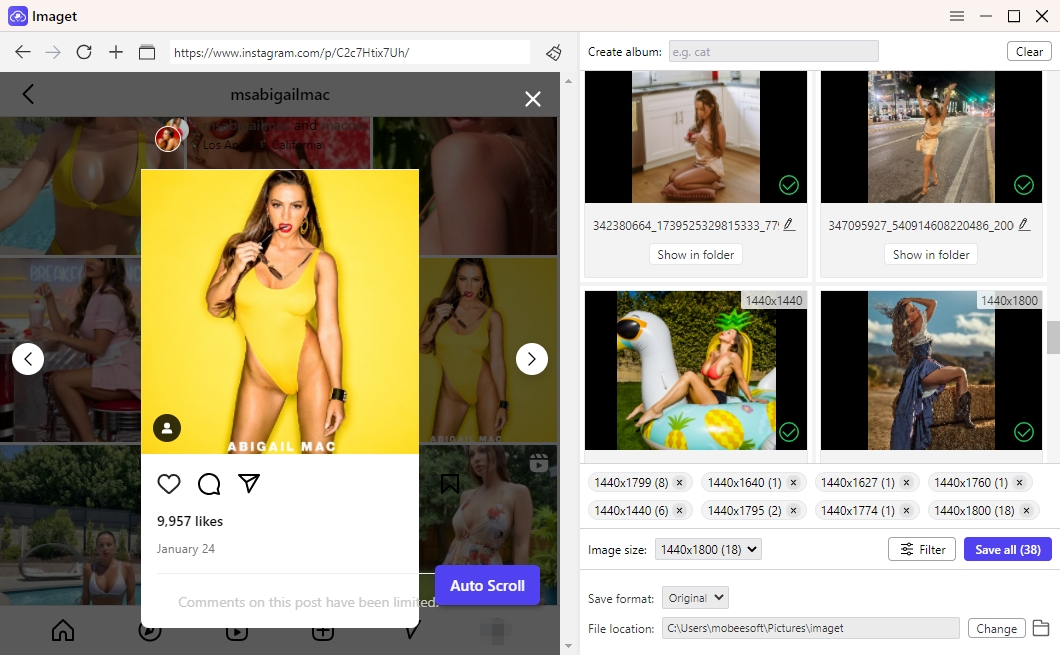
How to Grab All Instagram Photos in Bulk Using Imaget:
- Download Imaget on your PC or Mac and launch the program.
- Visit the Instagram profile inside Imaget, then click the Auto Click button – Imaget will automatically detect and load all available photos.
- Choose specific images or keep all selected for full bulk download.
- Click Save All to save all selected photos to your device. Once finished, click the Open Folder button to view all downloaded Instagram photos.
5. Conclusion
4K Stogram has long been a popular tool for downloading Instagram photos thanks to its ability to handle bulk downloads from usernames, hashtags, and locations. It offers a simple workflow: log in, search, configure settings, and download—all within a few clicks.
However, its discontinuation significantly impacts its reliability and long-term usability. Without updates or support, users may face increasing issues as Instagram continues to evolve.
For those looking for a stable, fast, and modern solution, Imaget stands out as the best alternative. With better performance, full-quality downloads, and ongoing updates, it provides everything users need for efficient Instagram photo downloading today.
If you’re serious about building a reliable Instagram photo archive, switching to Imaget is the smarter choice moving forward.