How the Grabit Extension Works for Image Downloads?

Images are one of the most widely shared types of content on the internet. From social media posts and photography portfolios to online shopping websites and digital artwork, users constantly encounter images they want to save for offline viewing, inspiration, research, or creative projects. While downloading a single image manually is easy, saving large numbers of images can quickly become repetitive and time-consuming.
This is why browser download extensions have become increasingly popular. They simplify the process by automatically detecting downloadable media files on webpages and allowing users to save them with just a few clicks. One of the tools designed for this purpose is Grabit. In this article, we’ll explore what Grabit is, how to get Grabit Pro, how to use it for image downloads, its advantages and disadvantages, and introduce a tool with more advanced bulk downloading capabilities.
1. What Is Grabit?
Grabit is a browser extension designed to help users download images and other media content from websites quickly and easily. It integrates directly into popular browsers and scans webpages for downloadable images.
Some of the Grabit’s main features include:
- Automatic image detection from webpages
- Add a download button to every photo.
- Batch downloading of multiple images
- Support for various image sources
- Simple and beginner-friendly interface
Grabit is mainly targeted at casual users who need a quick and simple way to collect online images without installing complex software.
2. How to Get Grabit Pro?
Grabit Pricing page offers a Pro version that unlocks additional features (bulk downloads, unlimited download speed and site settings) compared to the free version.
While the exact features may vary depending on updates, Grabit Pro typically focuses on enhancing performance, unlocking advanced download capabilities, and improving user experience.
Steps to Get Grabit Pro:
- Visit the official pricing page and review available plans and features.
- Choose a subscription option that fits your needs, then complete the payment process.
- Activate Pro features in the extension and get stated with Grabit.
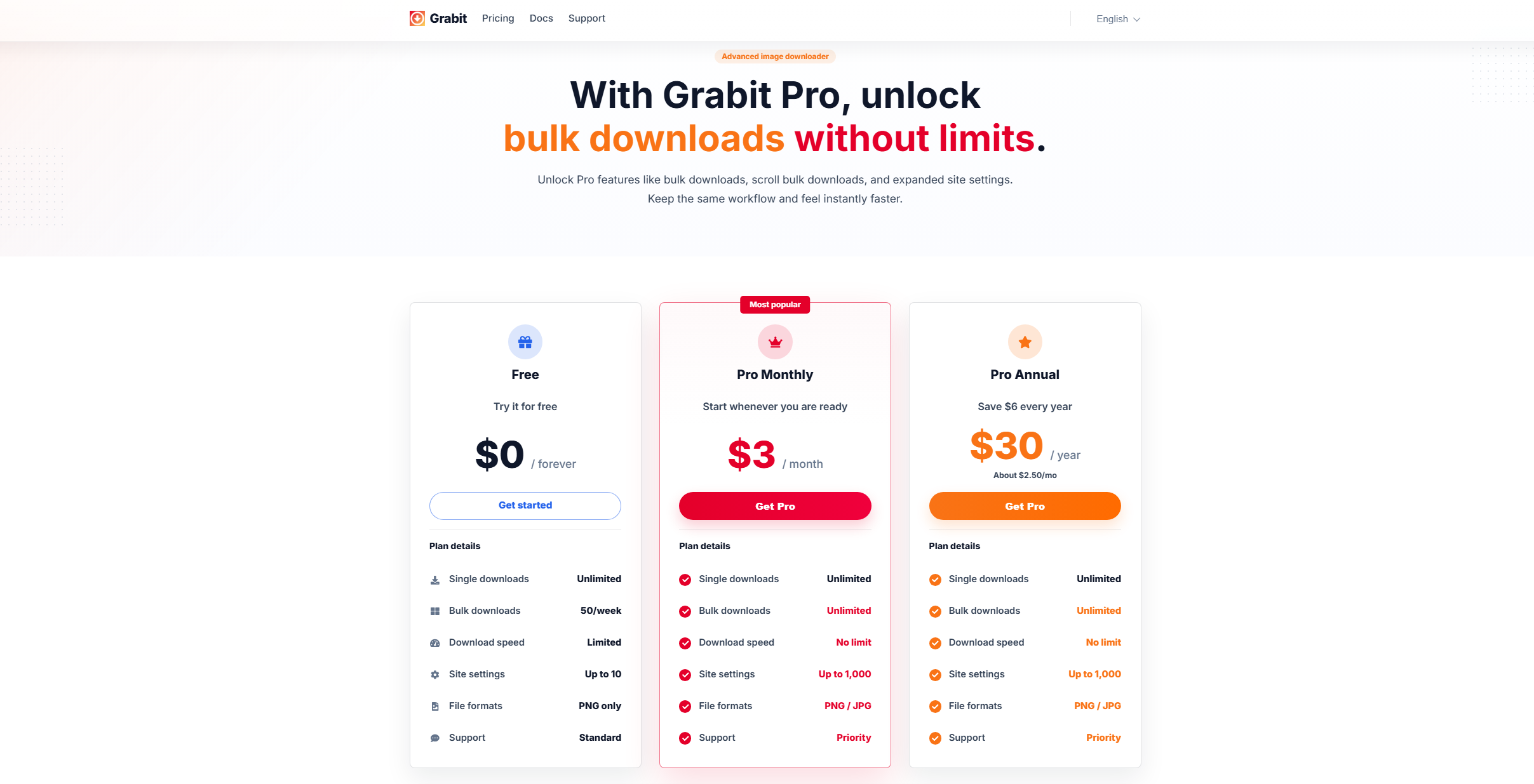
Users typically upgrade to Grabit Pro for:
- Faster or more stable downloads
- Improved batch processing
- Better support and updates
- Enhanced media detection features
- More control over download settings
For users who download images regularly, the Pro version may provide a smoother experience compared to the free version.
3. How to Use Grabit for Image Downloads?
Using Grabit is straightforward and does not require technical knowledge. Below is a step-by-step guide.
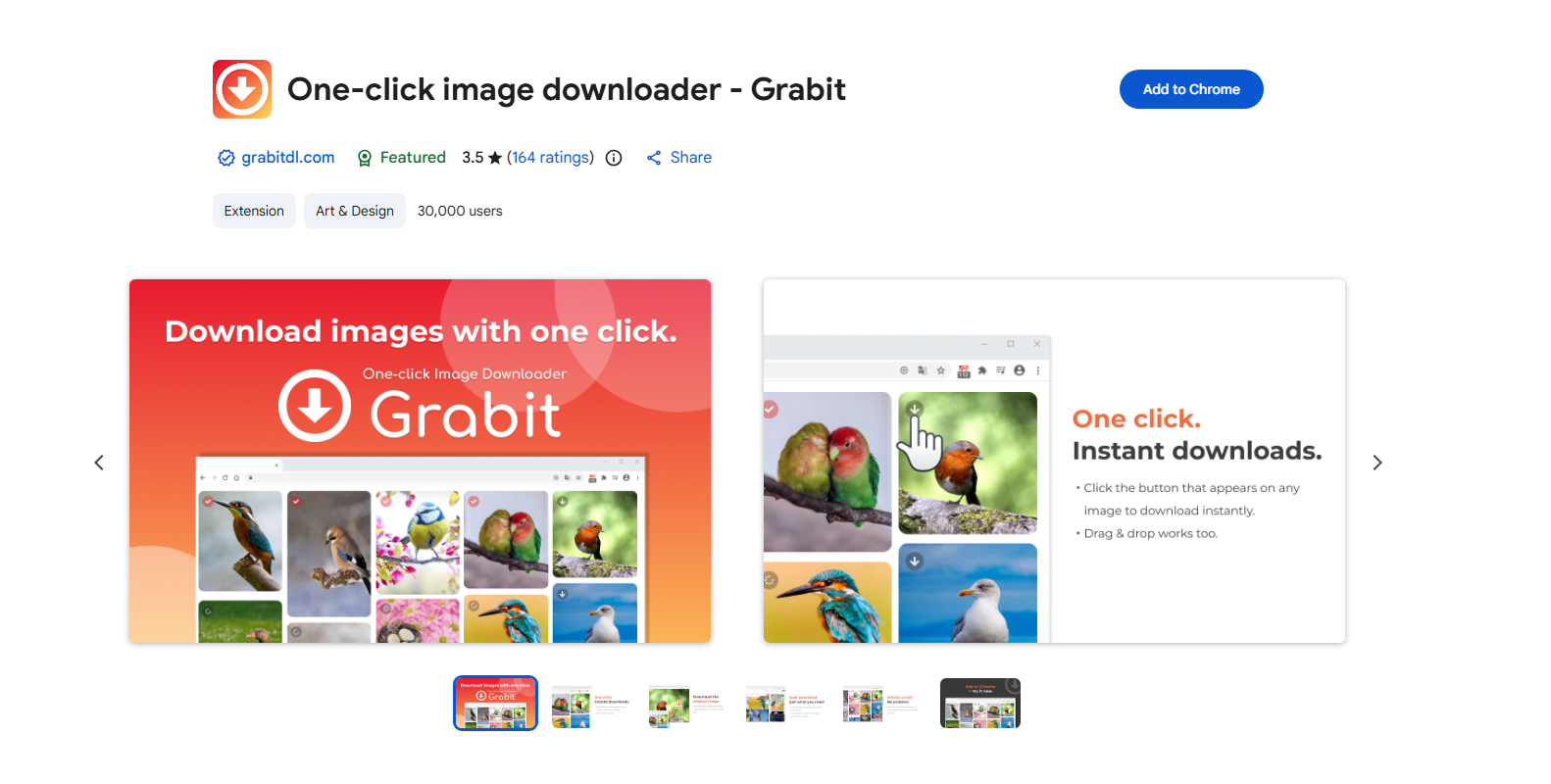
Step 1: Visit the official Grabit website and install the extension on your Chrome browser.
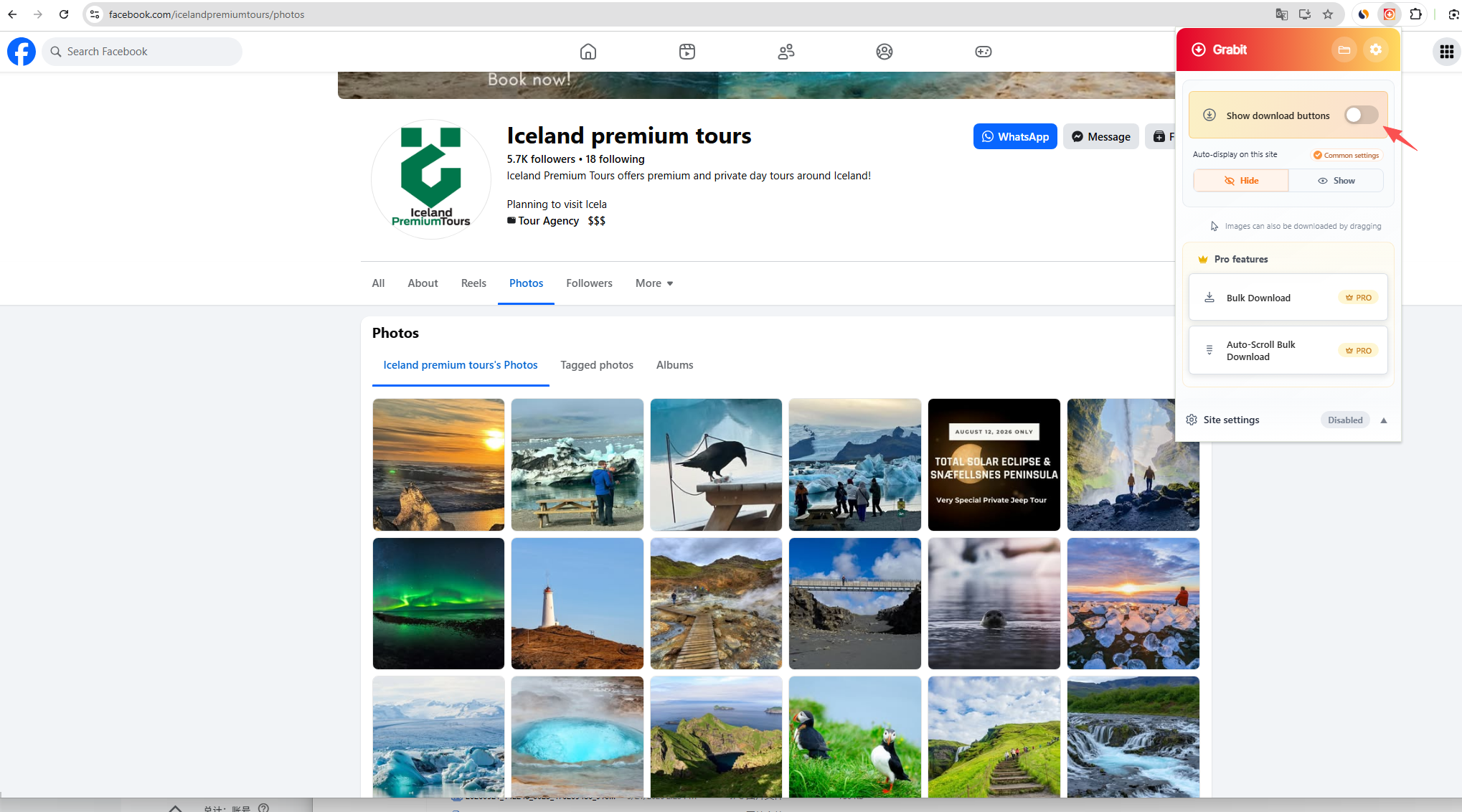
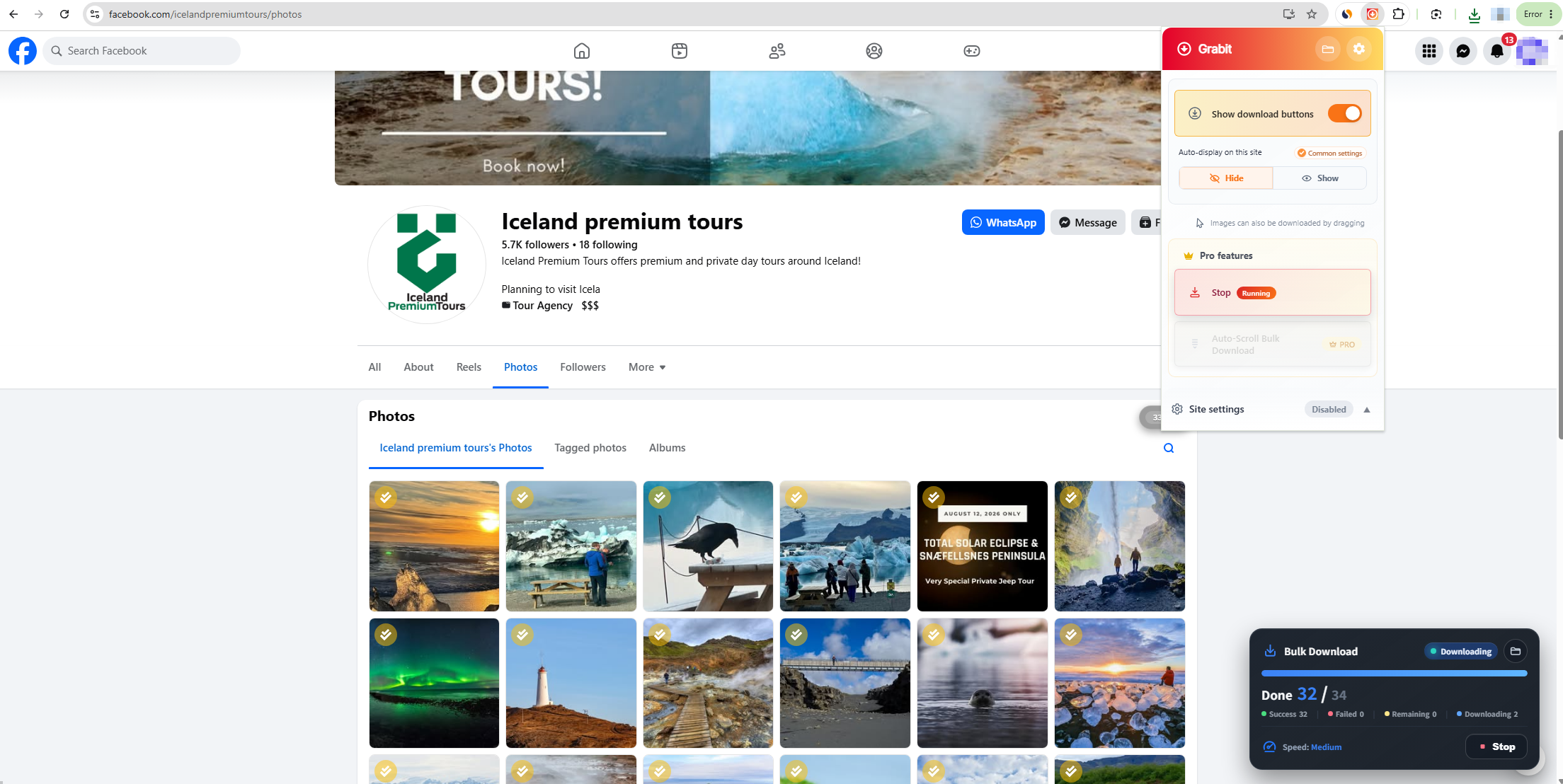
Step 2: Go to any webpage that contains images. Click the Grabit icon to begin scanning the page, then turn on the “Show download buttons” option.
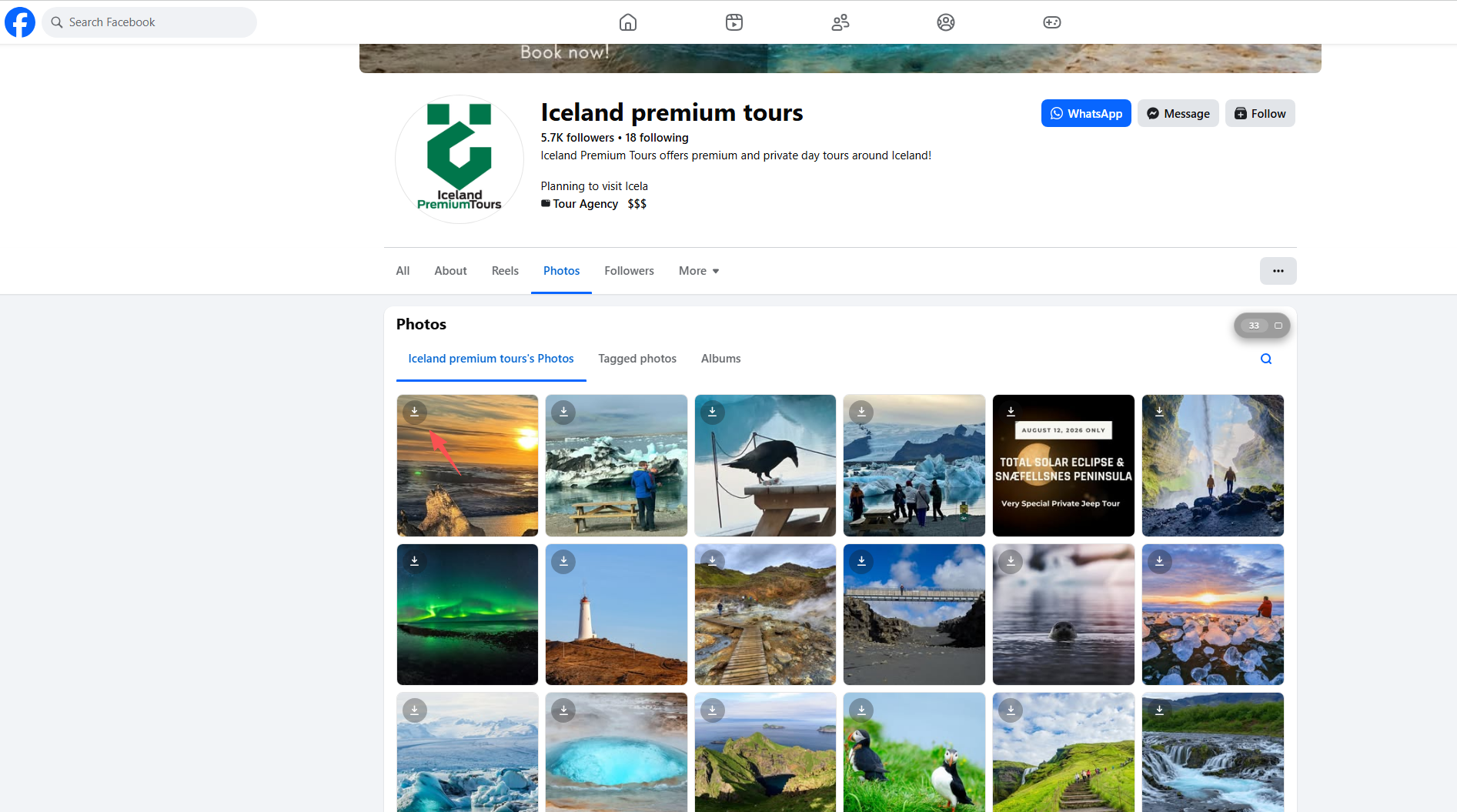
Step 3: Grabit will display a download icon on each image, allowing you to click and save photos individually.
Step 4: To download multiple images at once, unlock and use the bulk download feature. Grabit will then save all selected images to your device automatically.
4. Pros and Cons of Grabit
Like any browser extension, Grabit has strengths and limitations.
Pros of Grabit:
- Easy to Use: Grabit is beginner-friendly and requires no technical setup.
- Fast Image Detection: It quickly scans webpages and displays available images.
- Browser Integration: No need for external software—everything happens in your browser.
- Batch Download Support: Users can download multiple images at once.
- Lightweight Performance: It does not heavily impact system performance.
Cons of Grabit:
- Limited Advanced Features: Grabit lacks professional tools such as smart filtering and image conversion.
- Browser Dependency: Performance depends on browser compatibility and updates.
- Website Restrictions: Some websites block or limit extension-based downloading.
- Not Ideal for Large Projects: Downloading thousands of images may be inefficient or unstable.
- Possible Quality Limitations: Some images may be downloaded in preview resolution instead of original quality.
5. Try a Powerful Bulk Image Downloader – Imaget Instead of Grabit
While Grabit is useful for simple tasks, users who frequently download large image collections may need a more powerful solution. That’s where Imaget comes in.
Imaget is a dedicated bulk image downloader designed for speed, scale, and high-quality image retrieval.
Why Choose Imaget:
- Supports a wide range of image hosting websites
- Downloads from a webpage or a list of URLs
- Detects and downloads images in full resolution
- Allows filtering images by size and file type
- Offers advanced file organization, including renaming and folder structuring
- Saves images in popular formats such as PNG, JPG, WebP, or original file formats
How to use Imaget:
- Go to the official website and install the suitable Windows or Mac version of Imaget.
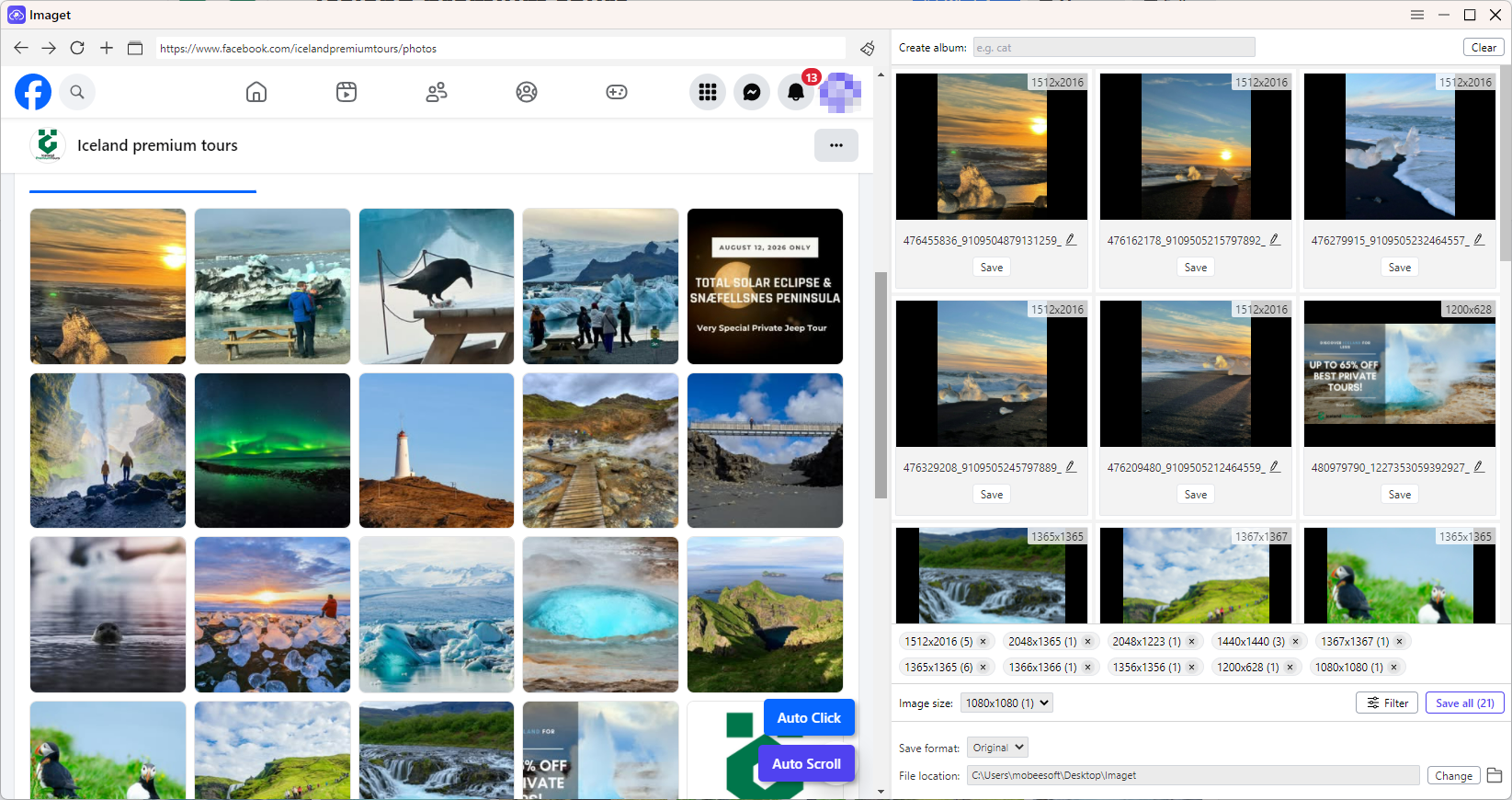
- Copy the URL of the webpage or image gallery you want to download, then paste it into Imaget.
- Allow Imaget to scan the page and detect all available images.
- Select the images you want (or choose all) and adjust your download settings if needed.
- Click Save All to download the images in bulk to your device.
5. Conclusion
Images are one of the most common types of content online, and while saving a few manually is easy, downloading large numbers can quickly become time-consuming. Tools like the Grabit extension help simplify this process by automatically detecting images on webpages and allowing quick batch downloads.
Grabit is a convenient and beginner-friendly solution for everyday use, offering features like automatic image detection and browser-based downloading. Upgrading to Grabit Pro can further improve performance and unlock additional bulk download capabilities.
However, for users who need more advanced features such as full-resolution downloads, better filtering, and stronger file organization, a dedicated tool like Imaget is a more powerful option.
Overall, Grabit is a solid choice for simple image downloading tasks, while Imaget is better suited for large-scale and professional bulk downloading needs.
- How to Download Movie Screencaps from FilmGrab?
- Bulk Image Downloader Chrome Extension Overview: How to Use It for Batch Downloads
- TurboImageHost Downloader Chrome: How to Download Images Easily
- How to Download Pictures from Wildskirts?
- How to Rip Assets from Websites: 5 Easy Methods
- How to Download Images from Danbooru?
- How to Download Movie Screencaps from FilmGrab?
- Bulk Image Downloader Chrome Extension Overview: How to Use It for Batch Downloads
- TurboImageHost Downloader Chrome: How to Download Images Easily
- How to Download Pictures from Wildskirts?
- How to Rip Assets from Websites: 5 Easy Methods
- How to Download Images from Danbooru?
- Top Imageboard Websites to Explore in 2026