How to Download Dreamstime Images Without Watermark?

Dreamstime is a popular stock photography platform offering millions of high-quality photos, illustrations, vectors, and other visual assets. These resources are useful for bloggers, designers, marketers, content creators, and businesses looking for professional images. However, when browsing Dreamstime, you may notice that preview images contain visible watermarks.
In this guide, we’ll explore three methods to help you get watermark-free Dreamstime images and explain how to manage large image collections more efficiently.
1. Download Dreamstime Images Using Dreamstime Online Downloaders
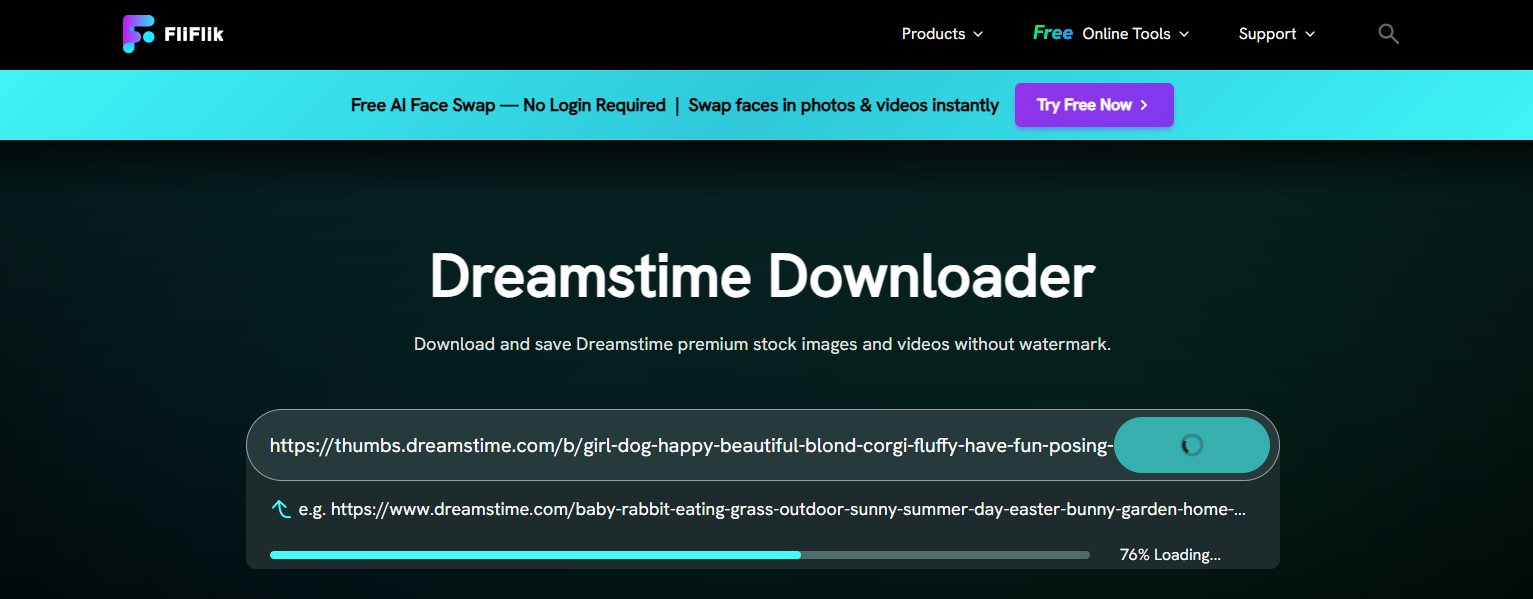
Dreamstime online downloaders are web-based tools that can help users save images directly from Dreamstime by pasting an image URL. They typically offer a simple process that doesn’t require installing additional software.
Popular choices include:
- FiFlik Dreamstime Downloader
- FetchPik Dreamstime Downloader
- DreamstimeDownloader
Steps to download Dreamstime images using an online downloader:
- Visit the Dreamstime website, search for the image you need and copy the image URL.
- Open an online downloader that supports downloading Dreamstime images, such as FliFlik, then paste the copied URL and click the download button,
- Check the available download options and save the image on your device.
Pros:
- Easy to use with a simple copy-and-paste process.
- No software installation required.
- Accessible through a web browser on different devices.
- Offers a quick way to save images from Dreamstime.
Cons:
- Some tools may fail to process certain Dreamstime image URLs.
- Downloaded images may still contain watermarks.
- Image quality and resolution may be limited.
- Some websites may display intrusive ads or have download restrictions.
- Not ideal for downloading large numbers of images in bulk.
2. Download Dreamstime Images Using Watermark Removers
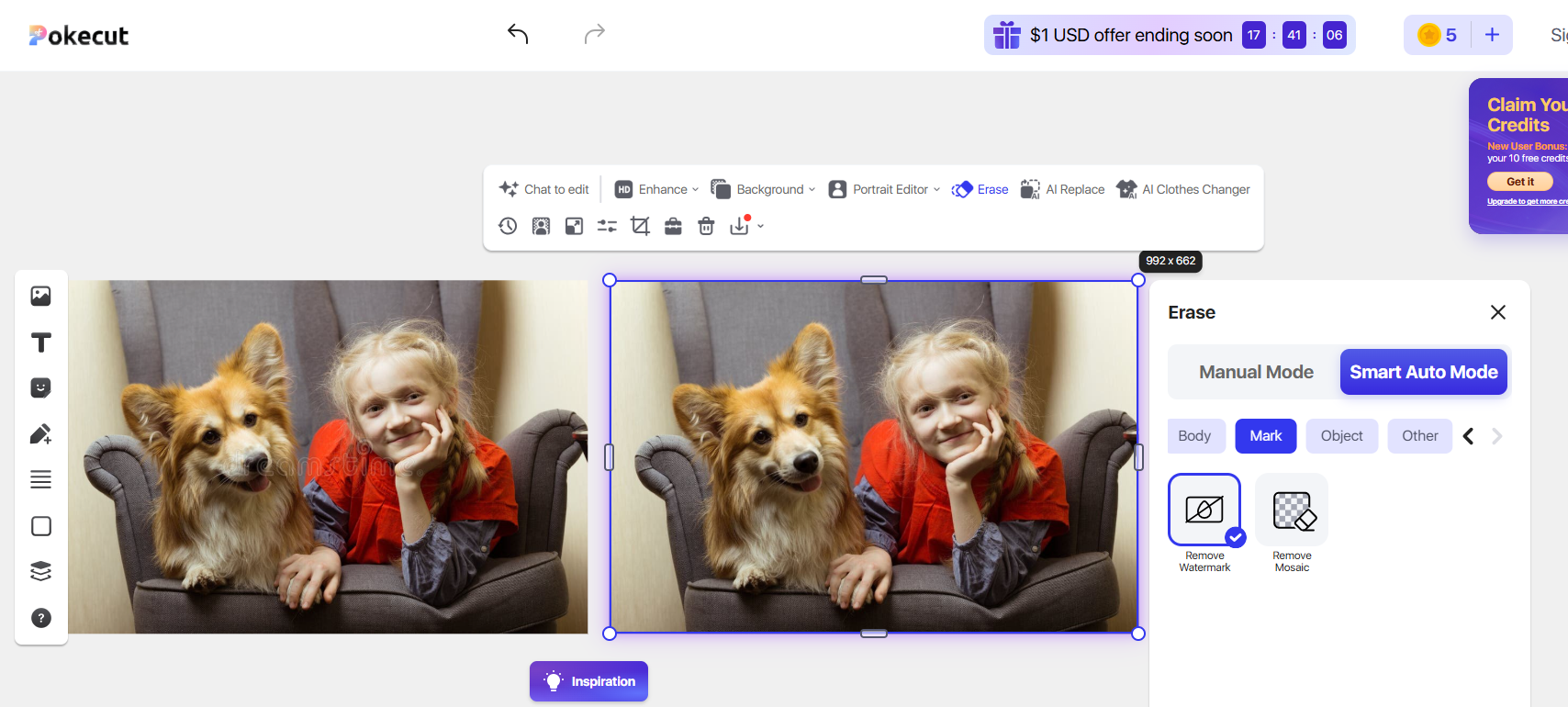
Watermark removers are online tools or desktop applications designed to remove visible watermarks, text, and logos from images. Many modern tools use AI technology to detect Dreamstime watermark areas and automatically reconstruct the background, making the editing process relatively simple.
Popular choices include:
- Pokecut Dreamstime Watermark Remover
- OpenArt Watermark Remover
- Swyshare Online Watermark Remover
Steps to remove Dreamstime Image watermarks:
- Open your preferred watermark remover, such as Pokecut Dreamstime Watermark Remover.
- Upload a Dreamstime image or paste a Dreamstime image URL, then let the tool detect the watermark automatically or select the unwanted area manually.
- Review the processed Dreamstime image to ensure the editing results look satisfactory.
- Download the edited image if you are satisfied with the result.
Pros:
- Easy to use, even without professional editing experience.
- AI technology can automatically detect and remove unwanted marks.
- Some online tools don’t require software installation.
- Useful for cleaning up personal images and other authorized content.
Cons:
- Results may contain blurry areas or visible editing artifacts.
- Complex backgrounds can be difficult to reconstruct naturally.
- Free versions may have resolution, file-size, or usage limitations.
- Processing large images may take additional time.
3. Best Way to Download Dreamstime Images: Subscribe to Dreamstime and Download in Bulk Using Imaget
If you frequently work with stock photography, downloading images one at a time can become inconvenient. A more practical approach is to obtain the appropriate Dreamstime subscription or image licenses first, then use a desktop image management tool such as Imaget to organize and download authorized image files in batches.
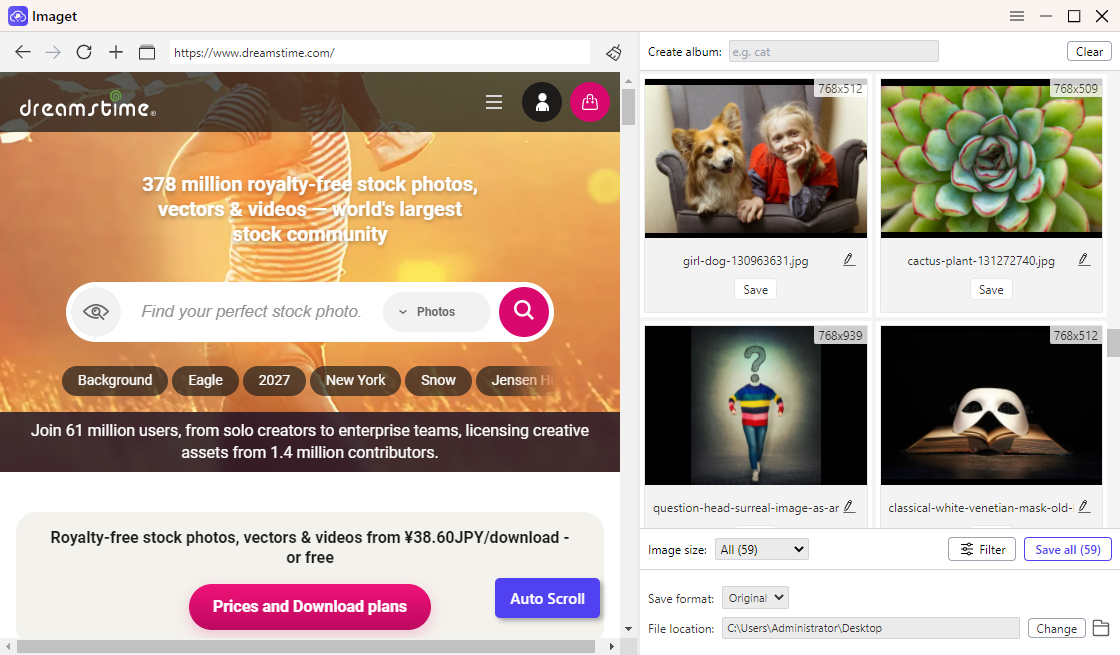
Imaget is a bulk image downloader designed to help users collect and manage images from supported websites. Instead of saving files individually, users can work with multiple image URLs or supported web pages and download detected images together.
Main Features of Imaget:
- Bulk Image Downloading: Download multiple images and GIFs from webpages in one click.
- Original Quality Downloads: Save images in their available original quality.
- Auto-Scroll Detection: Automatically scroll webpages to detect and collect images.
- Multiple URL Downloads: Download images from a list of URLs or multiple browser tabs.
- Image Filtering: Filter detected images to quickly find and select desired files.
How to Download Dreamstime Images in Bulk Using Imaget:
- Download and install Imaget on your Windows or Mac computer, then launch the application.
- Using Imaget’s built-in browsere to sign in to your Dreamstime account and locate the page that contains images you have licensed.
- Let Imaget scroll the page to detect and display all the available Dreamstime images.
- Select the Dreamstime images you want, then choose your preferred download settings and start the download process.
4. Conclusion
Downloading Dreamstime images without watermarks can be done in several ways, depending on your needs. Online Dreamstime downloaders offer a quick and convenient way to save images, while AI watermark removers can help clean up images you own or are authorized to edit. However, these methods may have limitations in image quality, processing results, and download efficiency. For copyrighted Dreamstime stock images, obtaining the proper license is essential.
If you regularly download and manage large collections of stock images, subscribing to Dreamstime and using a dedicated bulk image downloader is a more practical approach. Imaget makes the process easier with features such as one-click bulk downloading, original-quality image saving, automatic webpage scrolling, multiple URL downloads, and image filtering.
Overall, if you want to save time and simplify the management of large image collections, Imaget is an excellent tool to consider.
- Best Poipiku Image Downloaders Compared: Features and Pros & Cons
- Why Can't I Download Images from Google Anymore?
- How to Download Images from Gelbooru: A Complete Guide
- Best Image Downloaders to Download Bato Manga in 2026
- How to Download Movie Screencaps from FilmGrab?
- Bulk Image Downloader Chrome Extension Overview: How to Use It for Batch Downloads
- Best Poipiku Image Downloaders Compared: Features and Pros & Cons
- Why Can't I Download Images from Google Anymore?
- How to Download Images from Gelbooru: A Complete Guide
- Best Image Downloaders to Download Bato Manga in 2026
- How to Download Movie Screencaps from FilmGrab?
- Bulk Image Downloader Chrome Extension Overview: How to Use It for Batch Downloads