Best Poipiku Image Downloaders Compared: Features and Pros & Cons

Poipiku is an online platform where artists and creators share illustrations, sketches, and other visual content. Whether you want to save interesting artwork for personal reference, build an offline collection, or organize illustrations you have permission to download, a reliable Poipiku image downloader can make the process much easier.
However, downloading multiple illustrations individually can be time-consuming, especially when browsing large collections. Fortunately, several tools can simplify the process. In this guide, we’ll compare the best Poipiku image downloaders, explore their popular choices, explain their main features and usage steps, and discuss their advantages and disadvantages.
Part 1: Best Poipiku Online Image Downloaders
Online image downloaders are browser-based services that help users extract images from webpages without installing additional software. Generally, you enter a webpage URL, let the service scan for available images, preview the results, and download your selected files.
They are convenient for occasional downloads and users who prefer a simple, installation-free solution. Here are five online tools worth considering.
Popular choices:
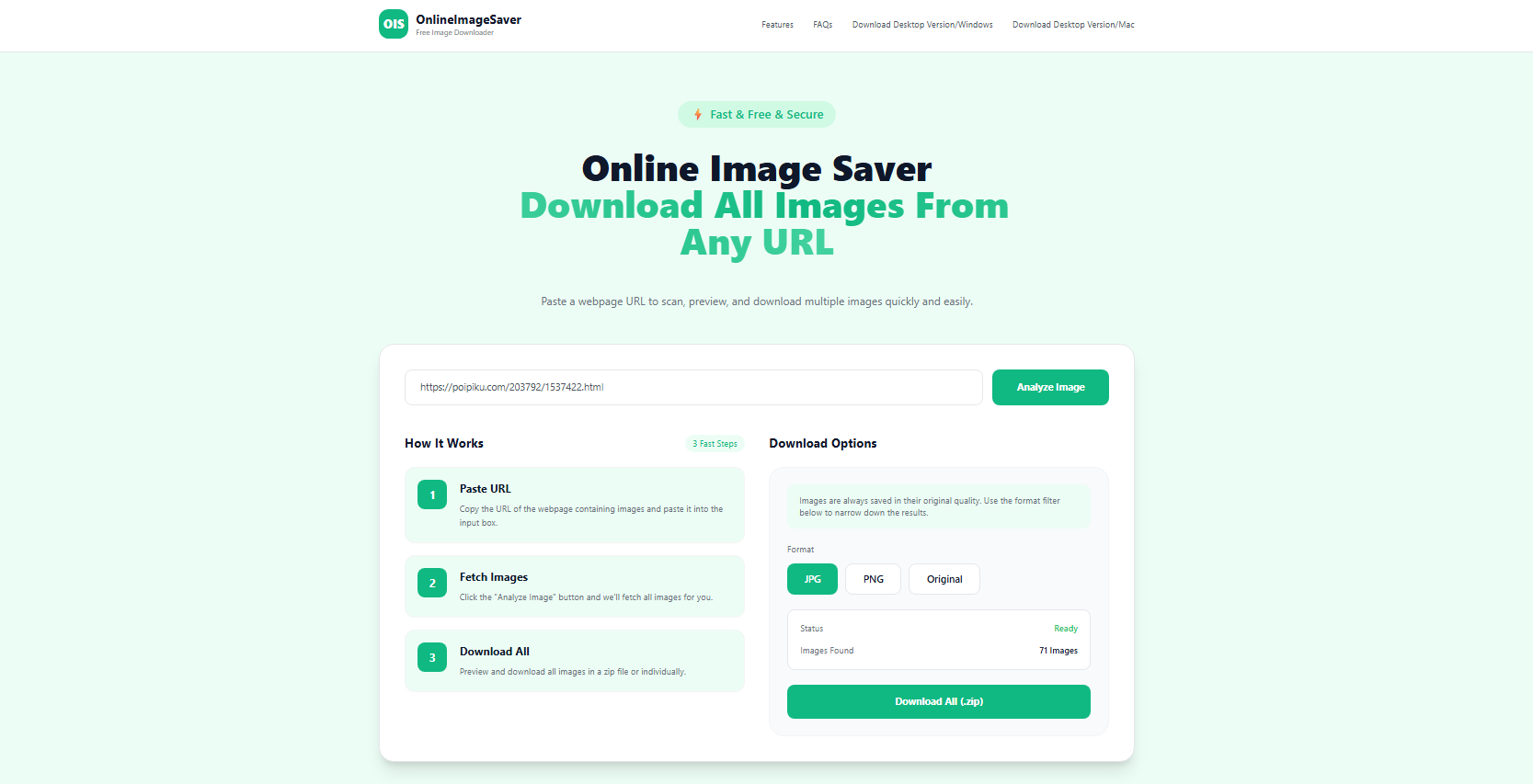
- OnlineImageSaver
- Extract.pics:
- ImgDownloader
- ImageOnline.io Image Extractor
- ExtractImage.Online
Main features:
- URL-based extraction: Scan supported webpages by entering their URLs.
- Image previews: View detected images before downloading.
- Batch downloading: Select multiple images instead of saving them individually.
- Format filtering: Find supported image formats such as JPG, PNG, and WebP.
- No installation: Access the services directly through a web browser.
How to download Poipiku images with online tools
- Open Poipiku and navigate to the page containing the illustrations you want to save and copy the page or image URL.
- Visit an online image downloader, such as OnlineImageSaver or Extract.pics, paste the URL into the input field and start scanning.
- Select your preferred files, then click the download option to save the Poipiku images to your computer.
Pros:
- No software installation required.
- Easy to use for beginners.
- Accessible through most modern browsers.
- Some services support batch downloads and ZIP archives.
Cons:
- Website compatibility can be inconsistent.
- May not retrieve dynamically loaded or restricted images.
- Limited filtering and image management capabilities.
- Less convenient for downloading large collections.
Part 2: Best Poipiku Image Downloader Extensions
Browser extensions provide another convenient way to save Poipiku illustrations. Instead of copying webpage URLs into an external service, users can install an extension and launch it directly on the webpage they want to scan.
These tools typically detect images accessible to the browser, display previews, and provide filtering options to help users find specific files. Here are five browser extensions worth exploring.
Popular choices:
- Imageye – Image Downloader
- Fatkun Batch Download Image
- Image Downloader by Pact Interactive
- Download All Images
- ImageAssistant Batch Image Downloader
Main features:
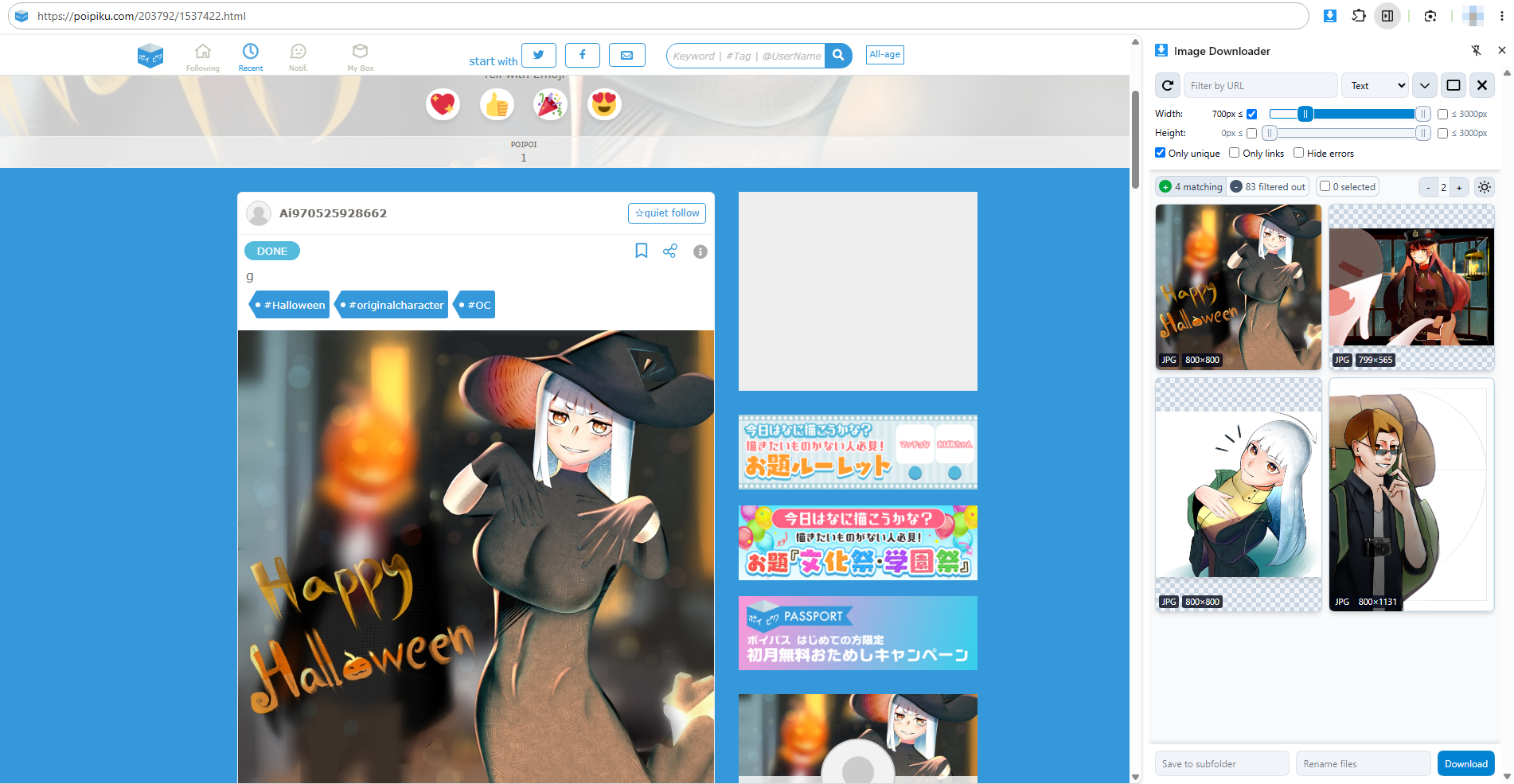
- Automatic image detection: Identify multiple images on the currently open webpage.
- Image previews: Review detected files before downloading.
- Dimension filters: Narrow down results by image width and height.
- Format filtering: Find images in supported formats such as JPG, PNG, and WebP.
- Batch selection: Select multiple images and download them together.
- Image management: Some extensions provide filename customization and duplicate filtering.
How to download Poipiku images with extensions:
- Install Imageye, Fatkun, or another compatible extension from your browser’s extension store.
- Open Poipiku and navigate to the illustration page you want to download from.
- Click the extension icon in your browser toolbar to scan the current webpage.
- Filter the detected images and download them from Poipiku in bulk.
Pros:
- Work directly within the browser.
- Automatically identify multiple images on webpages.
- Provide previews and filtering options.
- Support batch downloading, saving time compared with manual downloads.
- Convenient for users who frequently browse image-sharing websites.
Cons:
- Require installation and browser permissions.
- Can only detect images accessible to the browser.
- May miss dynamically loaded images or display thumbnails instead of original files.
- Offer relatively limited image organization and collection management features.
- Some extensions may not work properly on restricted webpages.
Part 3: Best Poipiku Bulk Image Downloader – Imaget
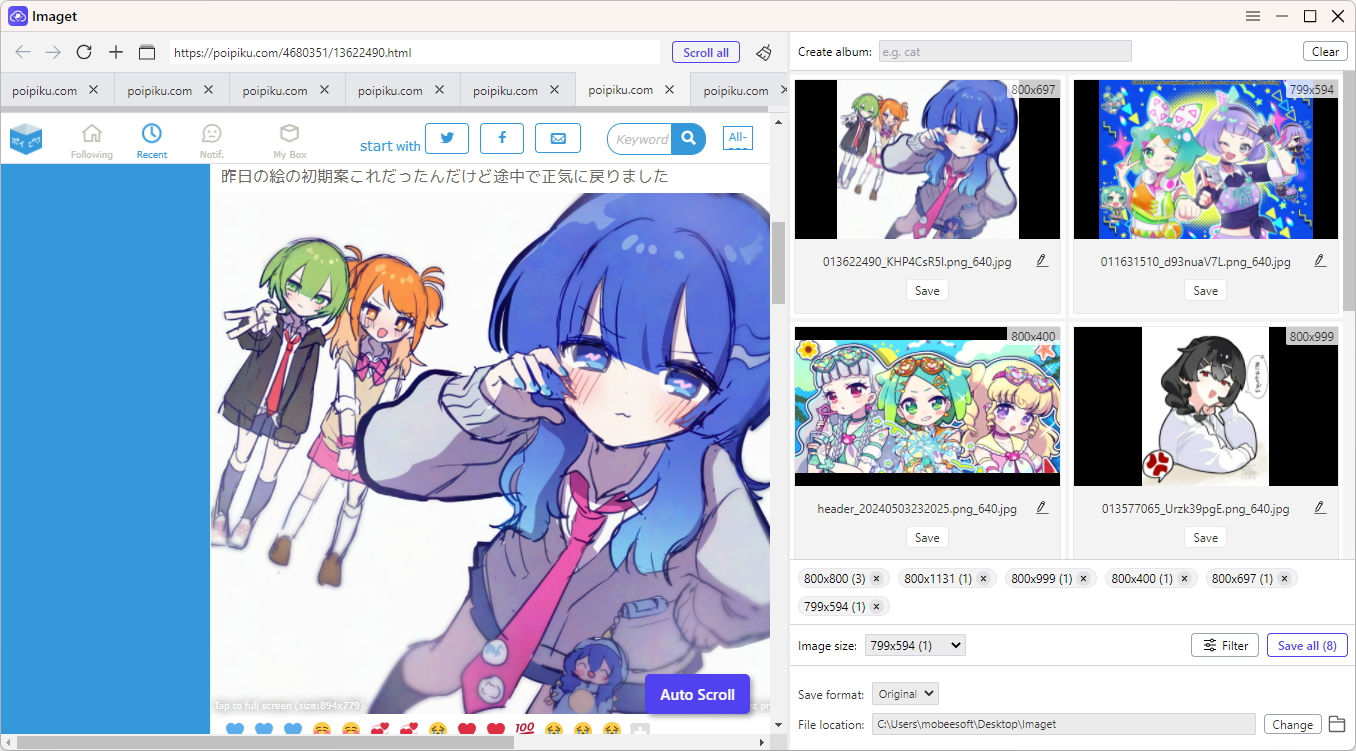
If you frequently download multiple illustrations from Poipiku, online services and browser extensions may not offer enough flexibility. For a more efficient workflow, Imaget is a dedicated desktop bulk image downloader designed to extract and save multiple images and GIFs from supported webpages.
Main features of Imaget:
- Extract and download all images and GIFs from all image hosting websites.
- Automatically scroll through webpages to discover additional images loaded as you browse.
- Save images in their original available resolution without unnecessary quality reduction.
- Collect images from multiple tabs or a list of image URLs.
- Filter detected images by resolution and file type.
- Output selected images in popular or original formats in one-click.
How to download Poipiku images with Imaget:
- Download and install the desktop application on your Windows or Mac computer, then launch it.
- Copy the URLs of the Poipiku pages containing the illustrations you want to save, the paste them into Imaget.
- Let Imaget auto scroll all pages, it will identify accessible images and display them in its preview window.
- Browse the detected illustrations, filter them by resolution or file type, and select the files you want.
- Choose your preferred download settings and start the batch download by clicking the “Save all” button.
Part 4: Comparison of the Best Poipiku Image Downloaders
| Category | Popular choices | Main advantages | Main limitations |
|---|---|---|---|
| Online downloaders | OnlineImageSaver, Extract.pics, ImgDownloader, ImageOnline.io, ExtractImage.Online | No installation, browser-based access | Compatibility and limited management |
| Browser extensions | Imageye, Fatkun, Image Downloader, Download All Images, ImageAssistant | Direct webpage scanning, filtering, batch downloads | Browser permissions and detection limitations |
| Desktop software | Imaget | Bulk extraction, automatic scrolling, image organization | Requires installation |
Part 5: Conclusion
There are several ways to download images from Poipiku, and the best choice depends on your downloading habits. Online tools such as OnlineImageSaver and Extract.pics are convenient for occasional image saving, while browser extensions like Imageye and Fatkun make it easier to detect and download multiple images directly from your browser.
However, if you frequently collect illustrations and need a more efficient bulk downloading workflow, Imaget is our recommended choice. Its automatic scrolling, original-quality image downloads, customizable filters, multiple-page support, and convenient album management make it a comprehensive solution for handling large image collections.
- Why Can't I Download Images from Google Anymore?
- How to Download Images from Gelbooru: A Complete Guide
- Best Image Downloaders to Download Bato Manga in 2026
- How to Download Movie Screencaps from FilmGrab?
- Bulk Image Downloader Chrome Extension Overview: How to Use It for Batch Downloads
- TurboImageHost Downloader Chrome: How to Download Images Easily
- Why Can't I Download Images from Google Anymore?
- How to Download Images from Gelbooru: A Complete Guide
- Best Image Downloaders to Download Bato Manga in 2026
- How to Download Movie Screencaps from FilmGrab?
- Bulk Image Downloader Chrome Extension Overview: How to Use It for Batch Downloads
- TurboImageHost Downloader Chrome: How to Download Images Easily