How to Download Manga from Mgeko?

Manga fans often want to save their favorite chapters for offline reading, backup collections, or archiving rare series before they disappear from the internet. Mgeko is one of the popular free manga-reading platforms that offers thousands of manga, manhwa, and webtoon titles. The site is known for its HD-quality pages, fast updates, and easy browsing experience.
However, Mgeko does not provide a built-in download option for complete manga chapters or bulk manga collections. In this guide, you’ll learn several effective ways to download manga from Mgeko, including the fastest method for downloading entire manga chapters in bulk.
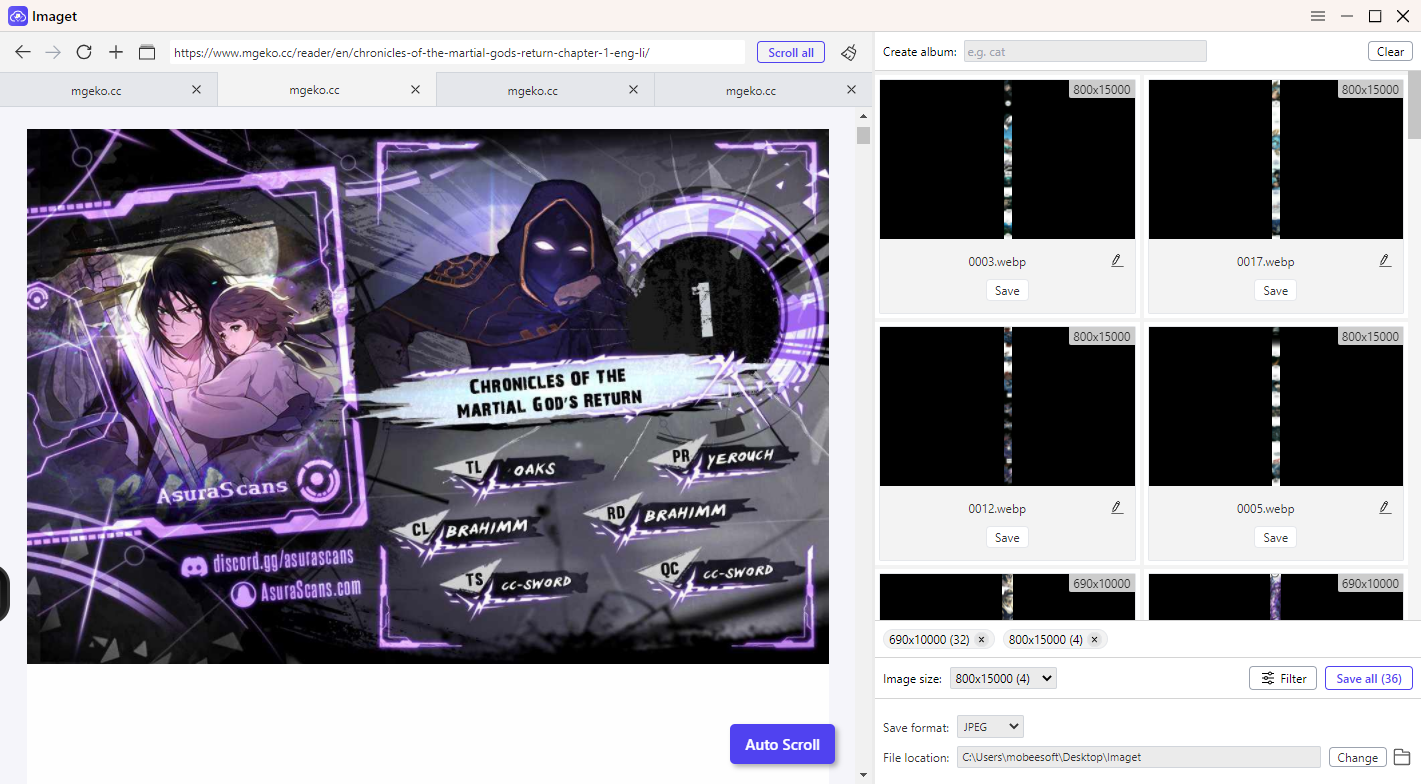
1. Batch Download Manga from Mgeko with Imaget?
If you want the easiest and most efficient way to save manga from Mgeko, using Imaget is highly recommended. Imaget automatically scans manga webpages and downloads all available manga images in bulk. Instead of saving pages one by one, Imaget allows you to batch-download complete chapters or even multiple manga chapters at once.
Key features of Imaget include:
- Batch download manga chapters in full quality
- Detect all images automatically from Mgeko pages
- Support for simultaneous downloads
- Built-in browser for accessing manga sites
- Organize downloads into folders automatically
- Available for Windows and Mac
This makes Imaget especially useful for manga readers who want to archive long-running series or read manga offline without interruptions.
Steps to Download Manga from Mgeko with Imaget:
- Download and install Imaget on your computer, then launch it and open the built-in browser.
- Visit the Mgeko manga pages or chapters you want to save, scroll through the chapter to ensure all manga images are fully loaded.
- Imaget will automatically detect the available images on the page, allowing to select the images or chapters you want to download.
- Click the “Save All” button to batch-download the manga pages.
2. Download Manga from Mgeko with Extensions
Browser extensions are another convenient method for downloading manga from Mgeko. These tools can detect images from manga chapters and save them as ZIP files.
How to Use Manga Downloader Extensions:
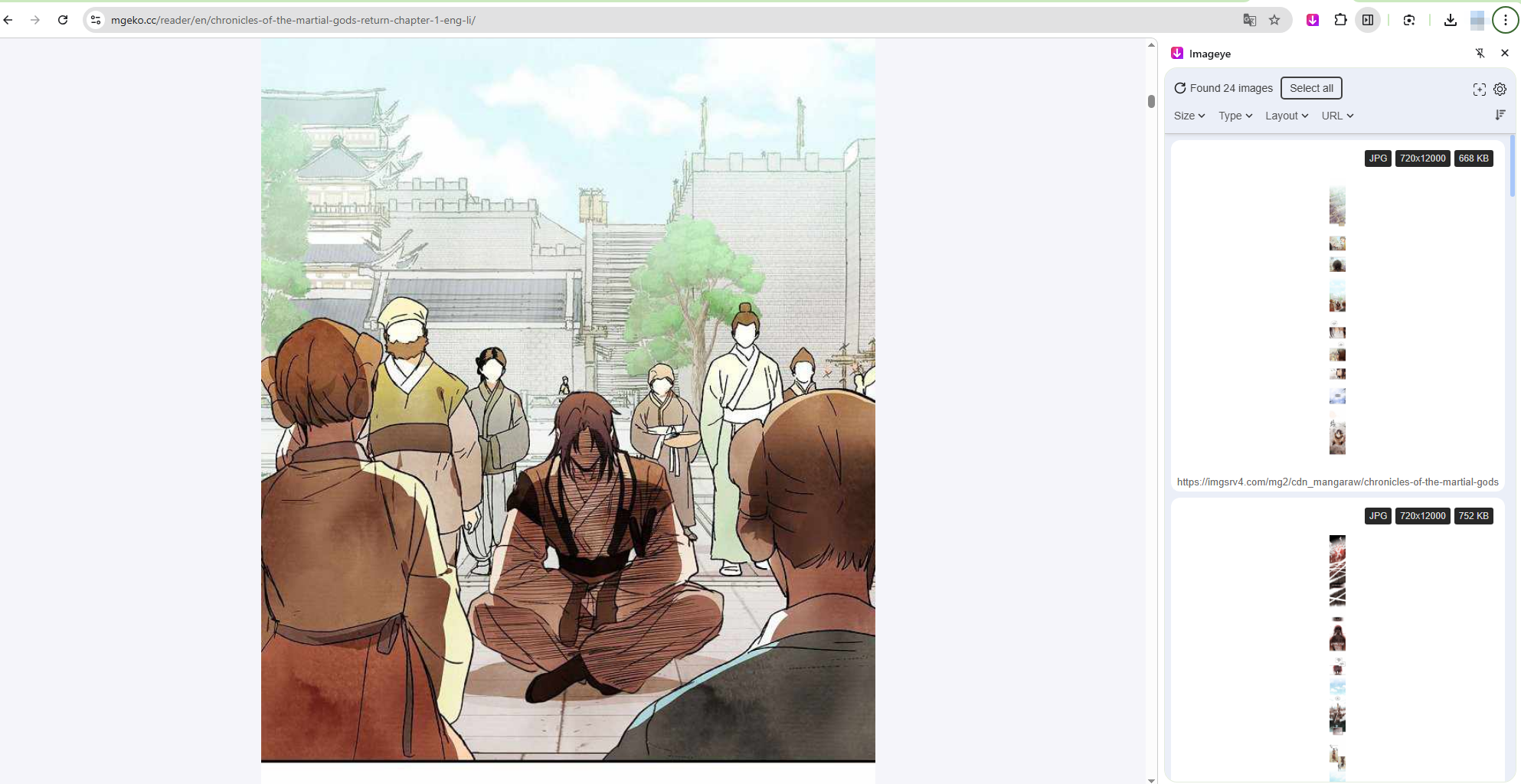
- Install a manga or image downloader extension like Imageye in your browser.
- Open a manga chapter on Mgeko, and scroll through the chapter so all pages load completely.
- Click the extension icon in your browser toolbar.
- Choose images, set output options and tart downloading the manga images.
Pros:
- Easy to use
- Directly integrated into the browser
- Useful for quick downloads
Cons:
- Some extensions are outdated
- Some manga sites may not be supported
- Extensions can fail when websites change layouts
- Bulk downloading entire series is limited
Extensions work best for downloading a few chapters occasionally rather than archiving large manga libraries.
3. Download Manga from Mgeko with Online Downloaders
Online manga or image downloaders provide another way to save manga chapters without installing software. These web-based tools typically require you to paste a manga URL, after which the downloader extracts the chapter images.
Steps to Use an Online Downloader to download from Mgeko:
- Copy the URL of a manga chapter from Mgeko.
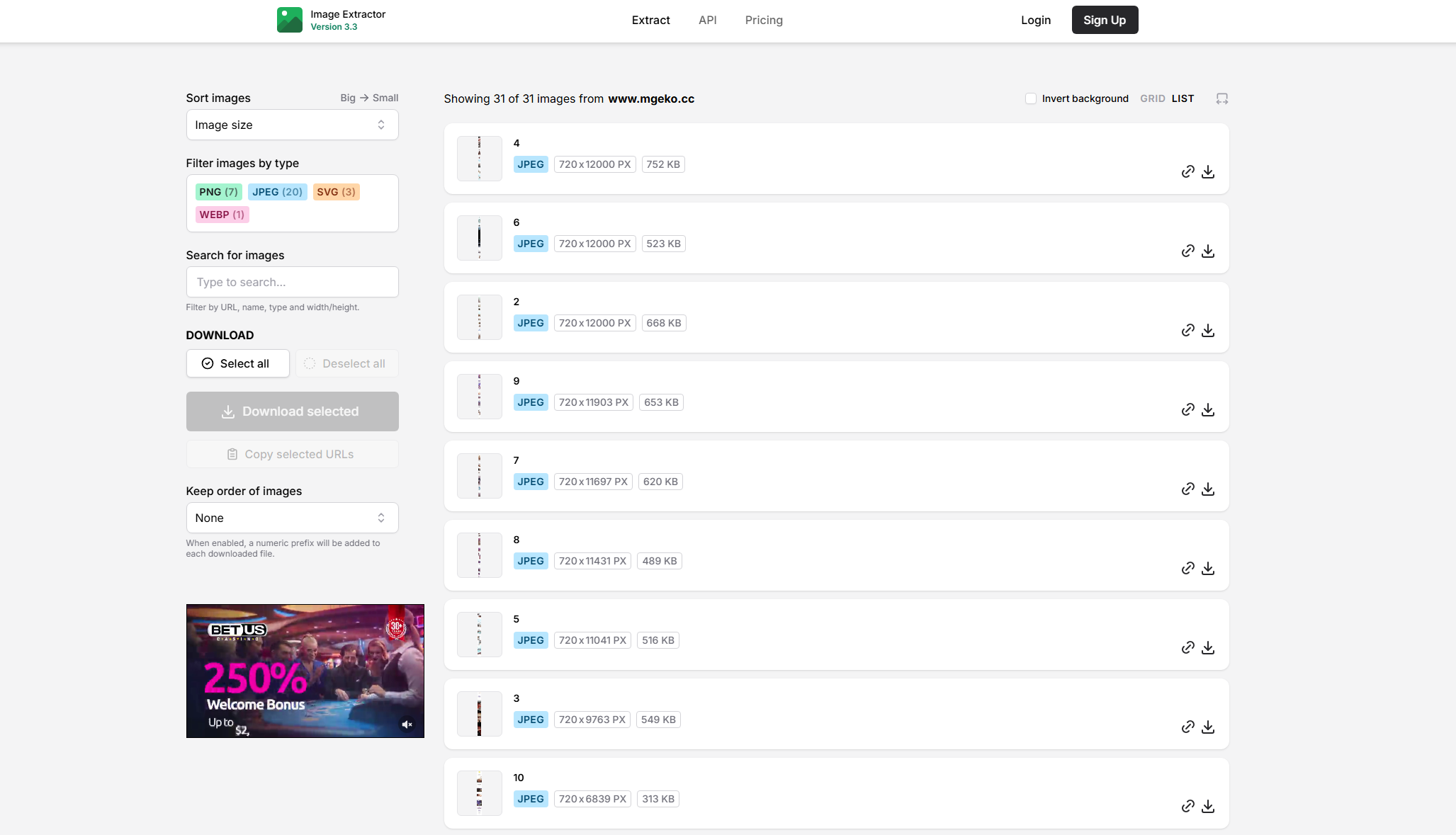
- Open an online manga downloader website like Image Extractor, paste the chapter URL into the downloader.
- Wait for the site to analyze the manga images, then choose the desired format and start downloading.
Pros:
- No installation required
- Works on most devices
- Convenient for quick downloads
Cons:
- Download speeds may be slow
- Ads and popups are common
- File quality may be reduced
- Bulk downloading support is limited
- Some tools stop working frequently
For users who only need to save a single chapter occasionally, online downloaders can be sufficient. However, they are less reliable for large manga collections.
4. Download Manga from Mgeko with Page Archivers
Another useful method for preserving manga chapters is using page archivers. Page archivers save entire webpages locally, including images, layouts, and reading structures. This method is especially useful when you want to preserve the manga reading experience exactly as it appears online.
Why Use Page Archivers:
- Save manga chapters as complete webpages
- Preserve layouts and formatting
- Read manga offline in browsers
- Archive pages before they disappear
Page archivers are particularly useful for manga websites that use infinite scrolling or dynamically loaded images.
Steps to Archive Manga Pages:
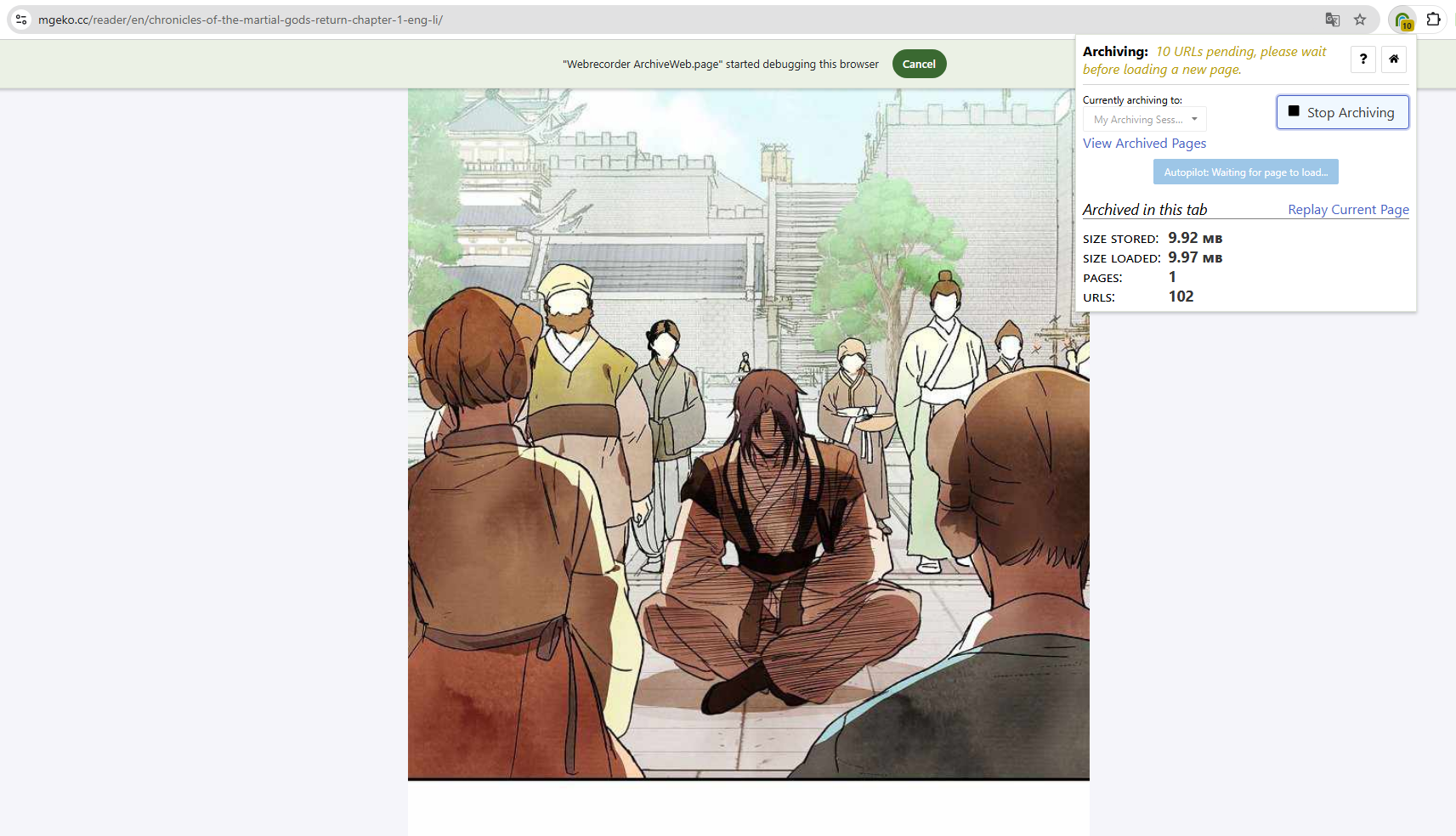
- Install a webpage archiving tool or browser extension.
- Open the manga chapter on Mgeko, and scroll through the entire chapter to load all images.
- Use the archiver to save the webpage locally.
- Open the archived file later for offline reading.
Some users in manga archiving communities also recommend using page-saving tools when downloader extensions fail.
Pros:
- Preserves webpage appearance
- Useful for long scrolling manga
- Good for backups and archiving
Cons:
- Files can become large
- Not ideal for organizing manga libraries
- Export formats are limited
- Bulk saving can be time-consuming
Page archivers are best for preservation purposes rather than structured manga collection management.
5. Conclusion
Downloading manga from Mgeko is possible using several methods, including browser extensions, online downloaders, and webpage archivers. Each option has its advantages depending on whether you want quick chapter downloads or long-term manga preservation.
However, if you want the fastest and most reliable solution for downloading manga chapters in bulk, Imaget stands out as the best option. It can automatically detect manga images, batch-download entire chapters, and save high-quality manga pages efficiently.
For manga readers who regularly archive or collect manga for offline reading, Imaget provides a much smoother and more powerful experience than manual downloading methods.
- Best Image Downloaders to Download Bato Manga in 2026
- How to Download Movie Screencaps from FilmGrab?
- Bulk Image Downloader Chrome Extension Overview: How to Use It for Batch Downloads
- TurboImageHost Downloader Chrome: How to Download Images Easily
- How to Download Pictures from Wildskirts?
- How to Rip Assets from Websites: 5 Easy Methods
- Best Image Downloaders to Download Bato Manga in 2026
- How to Download Movie Screencaps from FilmGrab?
- Bulk Image Downloader Chrome Extension Overview: How to Use It for Batch Downloads
- TurboImageHost Downloader Chrome: How to Download Images Easily
- How to Download Pictures from Wildskirts?
- How to Rip Assets from Websites: 5 Easy Methods
- How to Download Images from Danbooru?