How to Download from MyReadingManga?

MyReadingManga is a popular website for browsing manga and other image-based content online. While reading directly in a browser is convenient, there are situations where you may want to save images for offline access, personal organization, or easier reading later.
Downloading a few images is usually straightforward, but saving an entire collection can be much more time-consuming. Fortunately, you have several options. Below, we’ll explore some effective methods for downloading MyReadingManga content you’re authorized to save.
1. Download MyReadingManga Images Manually
The simplest way to download images from MyReadingManga is to use your browser’s built-in image-saving function. This method doesn’t require additional software and gives you complete control over which pages you save.
It’s particularly suitable if you only need a few manga images rather than an entire chapter or collection.
Steps:
- Launch your preferred web browser and navigate to the MyReadingManga page containing the content you want to save.
- Place your cursor over the manga image and right-click it, then select Save Image As or a similar option provided by your browser.
- Choose a folder on your computer and rename the file if necessary.
- Continue saving each image you want to keep.
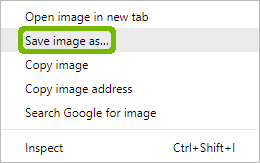
The biggest advantage of this approach is simplicity. However, manually saving dozens or hundreds of pages can take a significant amount of time, making it impractical for large collections.
2. Download MyReadingManga Images Using Extensions
Image downloader extensions offer a faster alternative by scanning webpages for images and displaying the files that can be downloaded. Instead of saving every manga page individually, you can often select multiple images and download them together.
Popular Choices:
- Imageye Image Downloader,
- ImageAssistant
- Bulk Image Downloader – HImage
Steps to Download MyReadingManga Images with an Extension:
- Find a reputable image downloader extension (like HImage) in your browser’s official extension store and install it.
- Navigate to the manga page you want to download, then scroll through the page to ensure lazy-loaded images have been loaded.
- Click the HImage icon in your browser toolbar and allow the extension to identify the images currently available.
- Select the images you want to download, next click the download button and choose a destination folder if required.
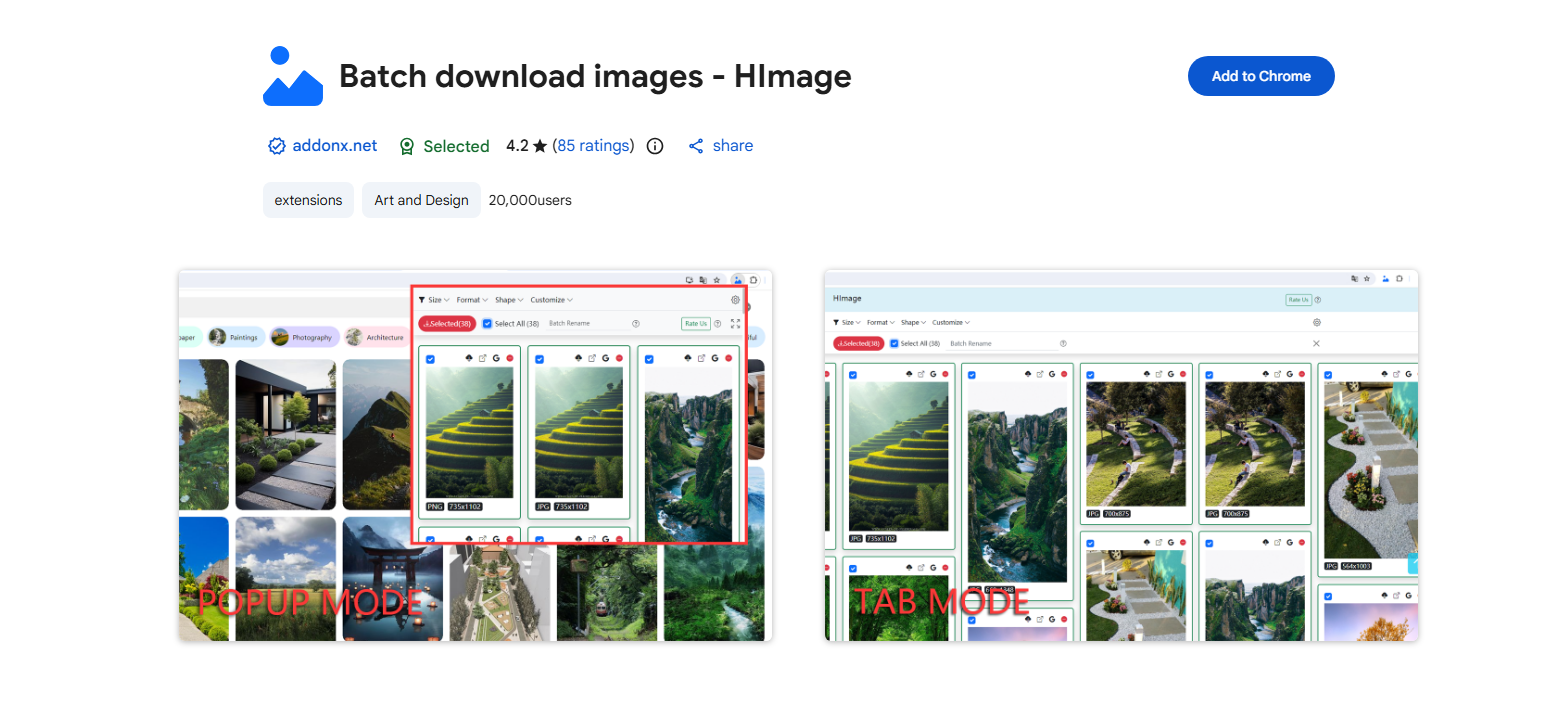
Browser extensions work well for moderate downloads, although dynamically loaded images may sometimes go undetected. They can also become cumbersome when you need to process many different pages or large collections.
3. Download MyReadingManga Images Using Online Downloaders
Online image downloaders provide another convenient solution. Unlike desktop applications or browser extensions, these services run directly in your browser, meaning you don’t normally need to install additional software.
Popular Choices
- Image Extractor
- IMGDownloader
Steps to Download MyReadingManga Images Online:
- Open the MyReadingManga page you are authorized to save and copy its URL.
- Visit a reputable image extraction service (like Image Extractor) and insert the MyReadingManga URL into the downloader’s input field.
- Click the download button to analyze the webpage, then wait for the service to display the images it can identify.
- Select the manga images you want and save the resulting files to your computer.
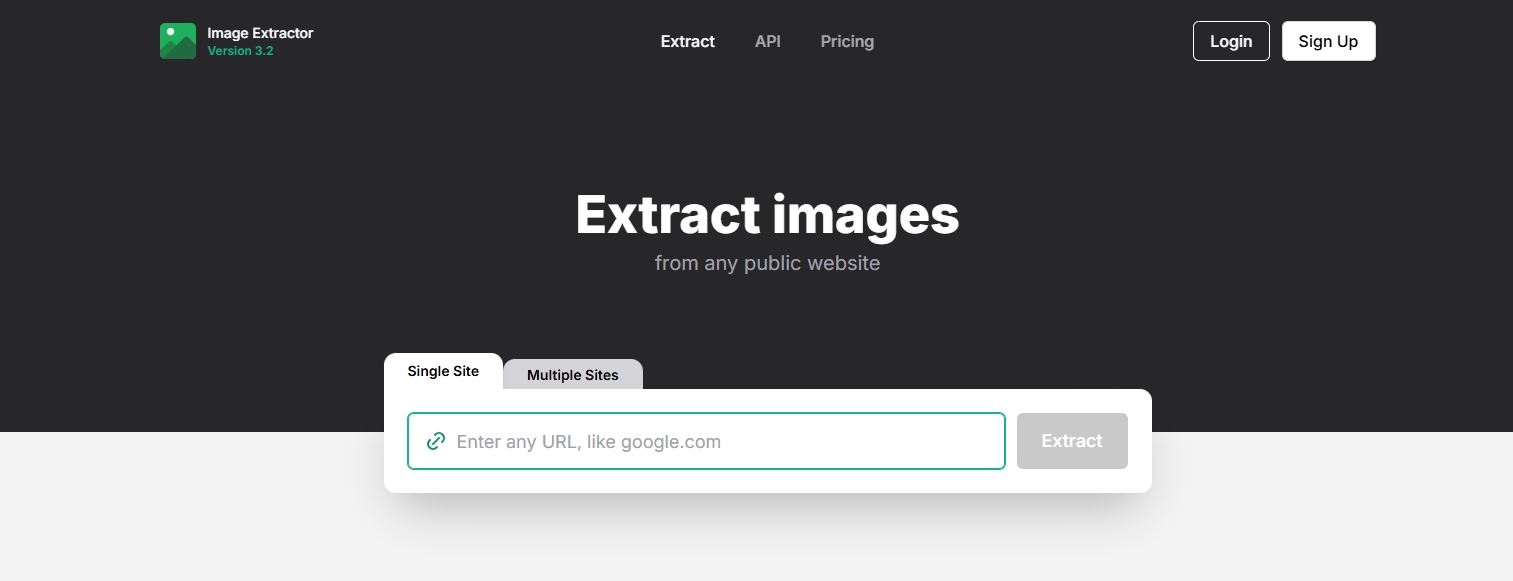
Online tools are attractive because there’s no software installation involved. However, they may have restrictions on the number or size of images they can process. Some also struggle with JavaScript-heavy or dynamically loaded webpages.
4. Download MyReadingManga Images Using a Webpage Downloader
A webpage downloader takes a slightly different approach. Rather than focusing exclusively on individual images, it attempts to save a webpage and its associated resources for offline use.
This can be useful if your goal is to preserve a webpage rather than simply collect image files.
Popular Choices:
- CatParse PageCat
- HTTrack Website Copier
- GoFullPage
Steps to Save a MyReadingManga Webpage:
- Download and install a reliable webpage downloader like PageCat, then launch it.
- Copy the URLs of the MyReadingManga webpages you want to download, then open them inside PageCat.
- Scroll the pages to load full content, then PageCat will allow you revisit the pages offline at anytime.
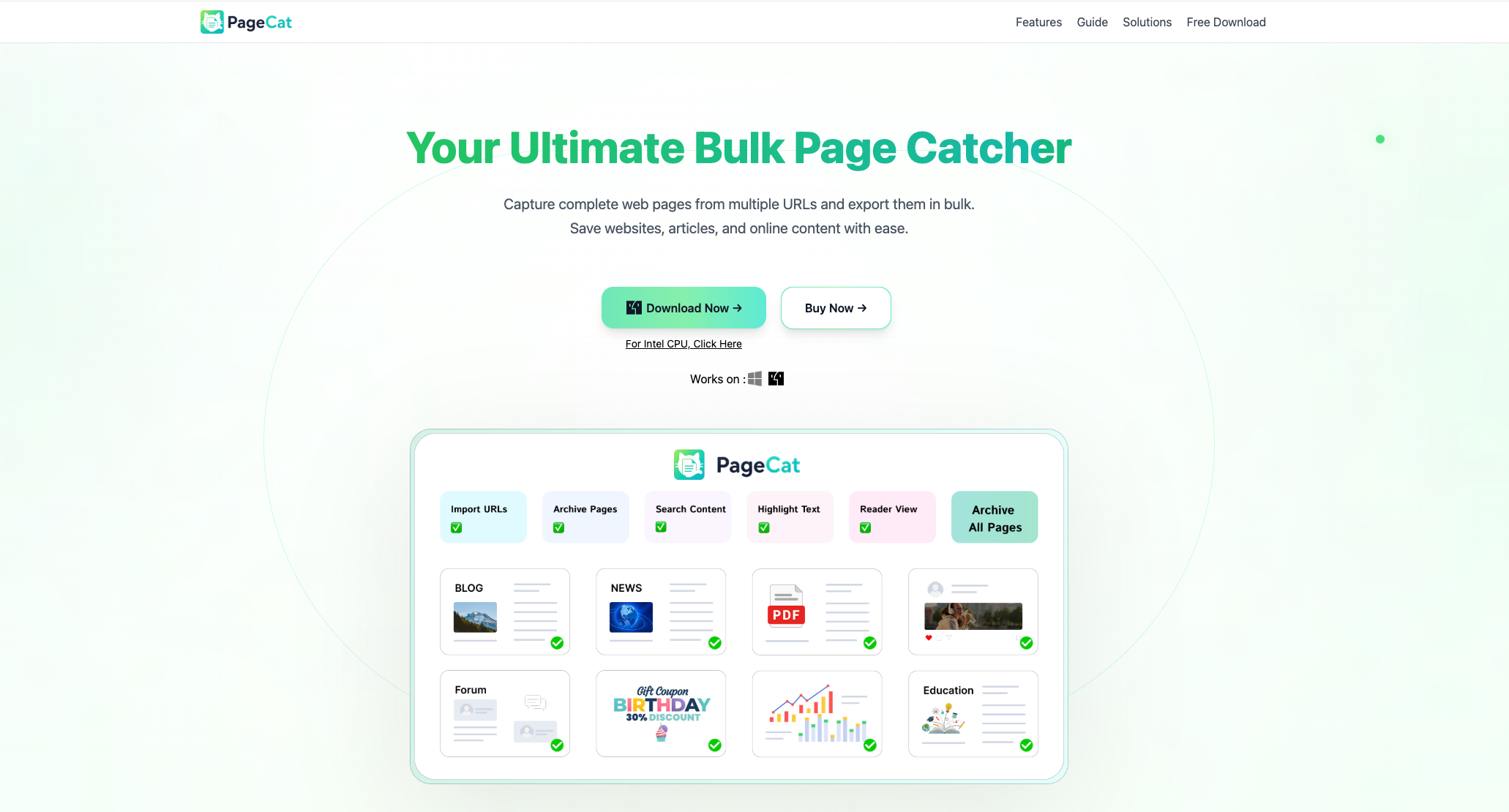
The main drawback is that modern websites may use dynamic loading, JavaScript, or other technologies that prevent a webpage downloader from capturing every image.
5. Advanced Bulk Download MyReadingManga Images with Imaget
If you regularly need to download large numbers of images, a dedicated bulk image downloader can make the process considerably more efficient. Imaget is designed for bulk image downloading and provides a more streamlined workflow than saving files individually.
Key features of Imaget:
- Download multiple images from all websites at once.
- Support importing multiple webpage or image URLs.
- Filter images by size, format, or other criteria.
- Preserve available image quality.
- Export images in popular PNG/JPG or original formats.
Steps to Download MyReadingManga Images with Imaget:
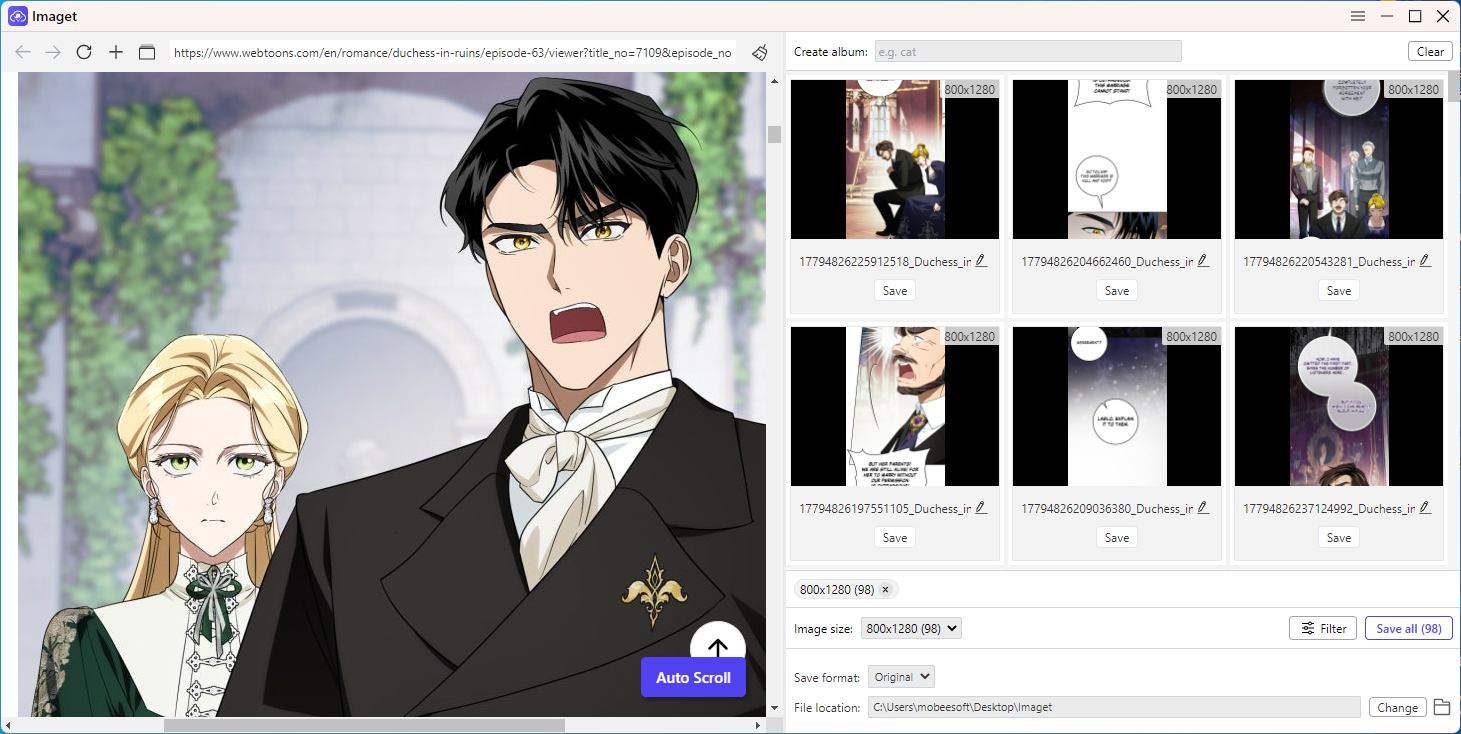
- Download, install and run Imaget downloader on your computer.
- Copy the URL of the MyReadingManga page containing the images you are authorized to download and add it to Imaget.
- Let Imaget analyze the page and identify available images, then use image dimensions, file type, or other criteria to narrow your selection.
- Choose download folder, then click Save all and let Imaget download all the selected files.
6. Conclusion
There are several ways to download images from MyReadingManga. Manual saving works well for a few images, while browser extensions and online downloaders are better suited for larger batches. Webpage downloaders can also help with offline access, but may not capture dynamically loaded content.
For users who need to download many images, Imaget is the recommended choice. Its bulk-download features make it easy to scan webpages, select images, customize download settings, and save files efficiently.
- Why Can't I Download Images from Google Anymore?
- How to Download Images from Gelbooru: A Complete Guide
- Best Image Downloaders to Download Bato Manga in 2026
- How to Download Movie Screencaps from FilmGrab?
- Bulk Image Downloader Chrome Extension Overview: How to Use It for Batch Downloads
- TurboImageHost Downloader Chrome: How to Download Images Easily
- Why Can't I Download Images from Google Anymore?
- How to Download Images from Gelbooru: A Complete Guide
- Best Image Downloaders to Download Bato Manga in 2026
- How to Download Movie Screencaps from FilmGrab?
- Bulk Image Downloader Chrome Extension Overview: How to Use It for Batch Downloads
- TurboImageHost Downloader Chrome: How to Download Images Easily
- How to Download Pictures from Wildskirts?